Lead Nurturing for Course Creators: From First Contact to Enrolment
Lead nurturing is what you send someone between the moment they give you their email and the moment they are ready to pay. For a course creator it usually comes down to three to five useful emails over about ten days, a tag that records what the person was interested in, and a check right before the sales email, so you never pitch the course to someone who has already bought it.
The order matters more than the copy. Help first, make the offer once the reader has tried something of yours, and stop when they buy, unsubscribe or reach the end.
Say you teach home recording online. You give away a free "Vocal recording checklist" and sell "Record Vocals at Home", a $79 video course. A second freebie, a "Mixing cheat sheet", leads to "Mix Your First Song" at $119. Around 300 people a month download the vocal checklist. Most of them have never heard of you before that day.
Why a freebie download isn't a buying signal
A download says "I have a problem with my vocals". It doesn't say "I want to pay $79 to fix it", and nothing so far tells the reader that your course beats the free videos they were already watching. If the first email after the checklist is a pitch, you're asking a stranger for money. If you send nothing, they forget where the checklist came from within a week.
Nurturing fills that gap with proof. Each email fixes one small piece of the problem the freebie pointed to, so when the offer arrives the reader has already tried one of your fixes and heard the difference. Three emails that teach something beat ten that talk about you.
It is less useful for cheap products. For a $9 preset pack, one email with the link is plenty. A week of warm-up on a $9 product loses more readers to unsubscribes than it earns.
A lead nurturing strategy in four decisions
Most sequences fail on decisions made before anyone writes a line. Make these four, in this order.
1. Record what the person asked for
The freebie someone downloads is the best interest data you'll get without a survey. Turn it into a tag on the person's card: interest-vocals for the checklist, interest-mixing for the cheat sheet. With tags you can send the right sequence, keep the vocal launch away from people who only care about mixing, and count how many people want each topic before you plan the next course. (That's the start of segmentation.)
Use one tag per freebie and name it so a colleague understands it in six months. lm2-oct will mean nothing by spring.
2. Decide how many emails and how far apart
We'd start with five emails over ten days: the freebie on day 0, useful emails on days 2 and 4, the offer on day 7 and one more useful email on day 10. Two or three days apart keeps you in memory without landing in the inbox every morning.
Adjust the delays below. The preset is an example for the $79 course, not a benchmark:
Example nurture sequence for "Record Vocals at Home" ($79):
| Day | Purpose | Skipped or stopped if | |
|---|---|---|---|
| 0 | The checklist | Deliver the freebie and one quick win | Unsubscribed |
| 2 | Room echo | Fix one problem with what they own | Unsubscribed or bought |
| 4 | Mic distance | A 3-minute test they can do today | Unsubscribed or bought |
| 7 | The offer | The course, $79, the link | Already has the course |
| 10 | Questions before buying | Answer the real objections | Already has the course; then the sequence ends |
Fewer emails is the safer mistake. You can add a step once you see where people stop opening. Someone who unsubscribed on day 3 is gone.
3. Make every email useful on its own
Each nurture email should work even if it's the only one the person reads: one problem, one fix, one small thing to try today. Mention the course in a single line at the end, and only from the third email on.
A quick test: could you post the email as a free lesson without feeling you gave away too little? If yes, it's nurturing. If it's mostly "here's what's coming in my course", it's an ad on a timer.
4. Decide when the sequence stops
Write the exits down before you build anything:
- The person bought the course. Stop pitching at once.
- They unsubscribed. Stop everything.
- They reached the last email. The sequence ends; they get your regular newsletter, or nothing.
- Optionally, they haven't opened anything for ten days. Stopping is kinder than mailing someone who tuned out.
The first exit is the one most sequences get wrong. A buyer who receives "Last chance to join" two days after paying full price will write to you, and not kindly.
Lead nurturing emails: outlines you can adapt
Here is the full vocal-recording sequence. Swap the topic and keep the shape.
Email 1, day 0. Subject: "Your vocal recording checklist (plus the step most people skip)". The download link in the first line. Then the skipped step: record a 10-second test and listen back on headphones before the real take. One sentence on what the next two emails will fix.
Email 2, day 2. Subject: "Fix room echo with what's already in your home". Why bare walls make a voice sound thin and distant. Record in front of an open wardrobe full of clothes, or hang a duvet behind the mic. Ask the reader to record the same line in two spots and compare.
Email 3, day 4. Subject: "How far from the mic? A 3-minute test". Record one line at three distances: a fist, a hand span, a forearm. What changes each time (bass, room sound, popping on "p" and "b"). Last line: the course has a full lesson on mic technique, with before and after audio.
Email 4, day 7, only for people who haven't bought. Subject: "Record Vocals at Home is open". Who it's for: people with a laptop, an entry-level mic and no studio. What they'll have at the end: a clean, finished vocal take on their own song. The price, $79, and the link. Your refund terms in one sentence, if you offer refunds.
Email 5, day 10, again only for non-buyers. Subject: "Three questions people ask before buying". "Do I need a better mic?", "I can't sing well yet, is this for me?", "How long are the lessons?" Short honest answers, then the course link once, at the end.
Notice what's missing: no "just checking in", no countdown timer, no discount on day 1. If you want a deadline, make it a real one (a feedback session for the first 20 buyers, say) and state the date.
The mixing sequence uses the same five slots with mixing problems: set levels before adding effects, cut the low end on everything except bass and kick, compare your mix with a song you like at the same volume.
The flow on one page
Where lead nurturing goes wrong
Pitching people who already bought. One check at the start isn't enough, because people buy on day 8 from a link in your footer. Check right before every offer email.
Two freebies, two sequences, double the email. Someone who grabs both the checklist and the cheat sheet enters both sequences and can get four or five emails a week. Decide what happens then: at the start of the second sequence, check for the first tag, and if it's there, send only the cheat sheet and stop.
"Value" emails that could come from anyone. "5 tips for better audio" copied from a forum teaches nothing about you. Build the useful emails from the questions your students actually ask.
Mailing people who never asked. Someone who downloaded your checklist agreed to get the checklist and related emails. A list you got from a webinar partner did not agree to yours. Every marketing email also needs an unsubscribe link that works.
Measuring only sales. Look at where opens fall off. At 300 downloads a month, two weeks put about 150 people through email 3, which is enough to see a drop. If email 3 loses half of the people who opened email 2, rewrite it before you touch the offer.
And sometimes the sequence isn't the problem. If the freebie and the course don't match (a mixing cheat sheet leading to a songwriting course), no amount of nurturing will bridge the gap. Match the freebie to the paid course first; email marketing for course creators covers that part of the plan.
How to set this up in Scholaxy
In Scholaxy the whole sequence is one process per freebie. The form starts it, the first block tags the person, emails and delays follow, and a condition checks for a purchase before the offer.
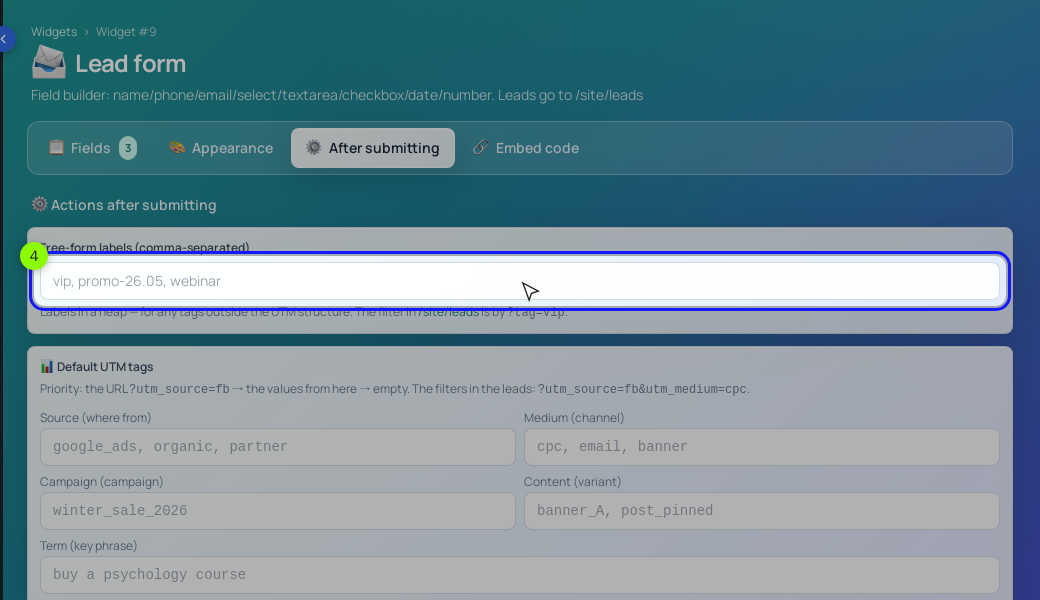
- Get the form ready. In "Website" → "Widgets", open the checklist form with "Edit form". On the "Fields" tab, tick "Required" on the Email field: after-submit actions, process starts included, only run for leads that left an email. On the "After submitting" tab, you can type a label such as
vocalsinto "Free-form labels". It marks the lead in "Website" → "Leads" so you can filter by it there, but it doesn't put a tag on the person's card. The interest tag comes from the process.
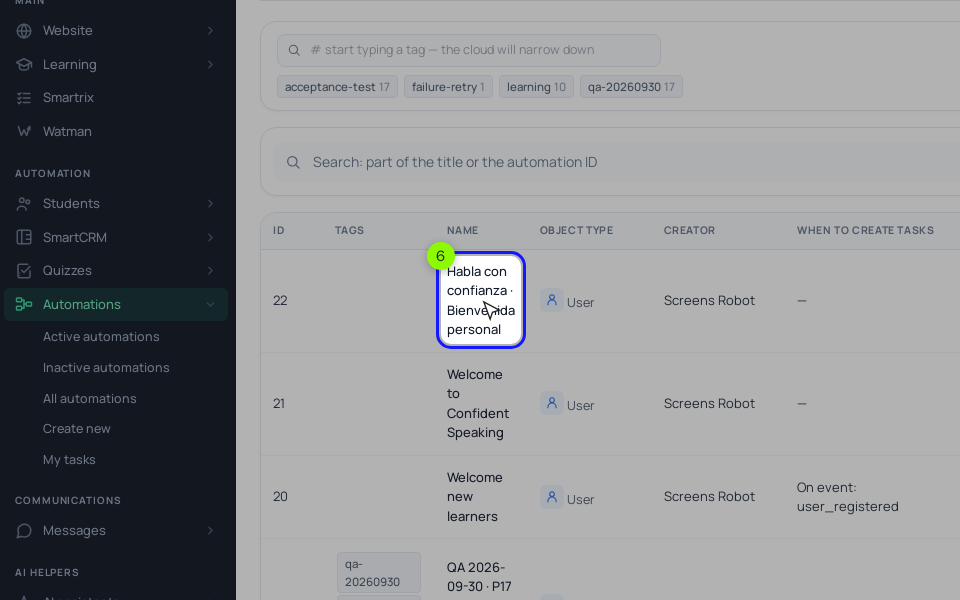
- Create the process. "Processes" → "Create new", object type "By LMS users", launch trigger "Disabled": the form will start it, and starts from a form work even while a process is inactive. Back in the form, pick the process under "Start the processes when the form is submitted". From a form it runs once per person, which suits a nurture sequence, so leave "Start again if the process has already been started for this user" off. (Avoid the "New lead created" event here: it only fires when the lead creates a new person card, so returning contacts would be skipped.)
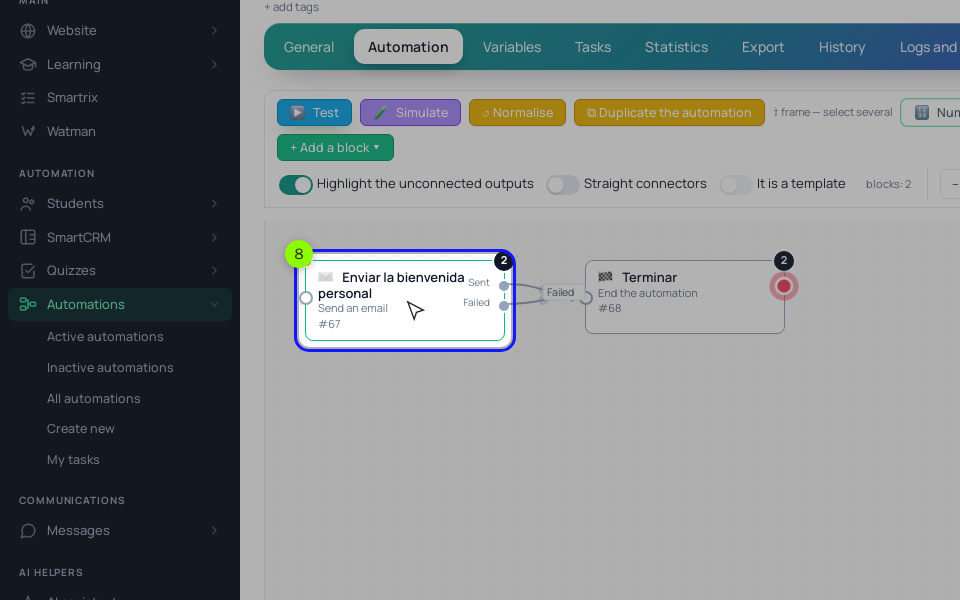
- Build the chain on the "Process" tab with "+ Add a block". The first block you add runs first: "Operation" → "Add a tag" with
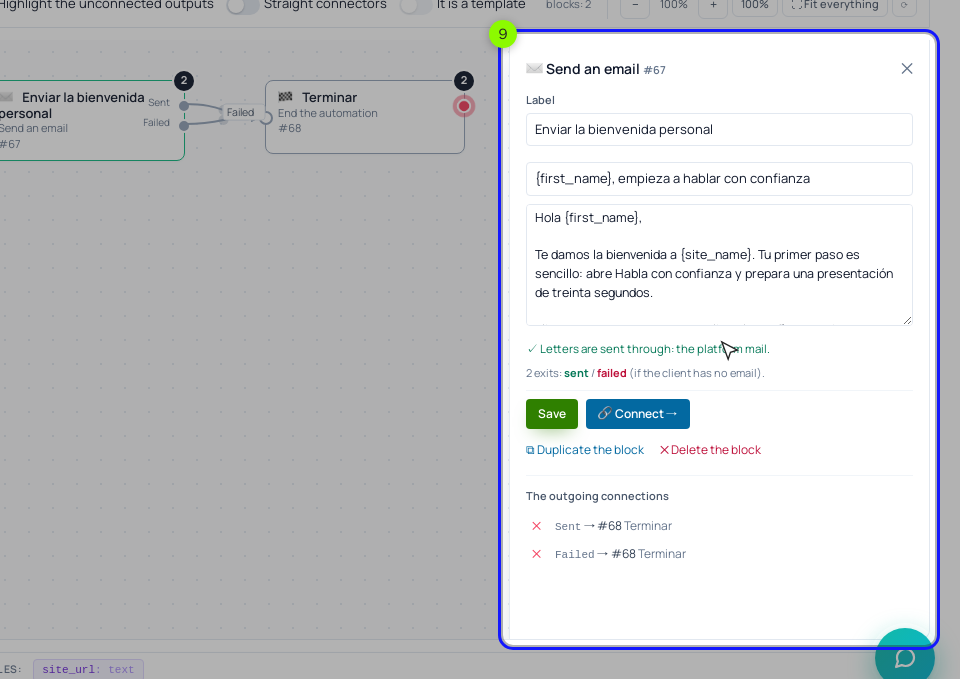
interest-vocals. Then "Send an email" (start it with {first_name}), "Delay" of 2 days, "Send an email", "Delay" of 2 days, "Send an email", "Delay" of 3 days, and a "Condition". Use "Send an email" for these steps rather than "Run a broadcast": chain emails from "Run a broadcast" don't respect unsubscribes yet, while "Send an email" skips anyone who unsubscribed and adds an unsubscribe link to the email.
- Set the check. Click the "Condition" block and set its rule to "Training access", open now, for your course's training. "Yes" goes to "End the process". "No" goes to the offer email, a "Delay" of 3 days, a second "Condition" with the same rule, and email 5. The same rule list has other checks worth knowing: "Tag" → "has one of the tags" (handy for the two-freebie case) and "Email activity" → "opened an email in N days".
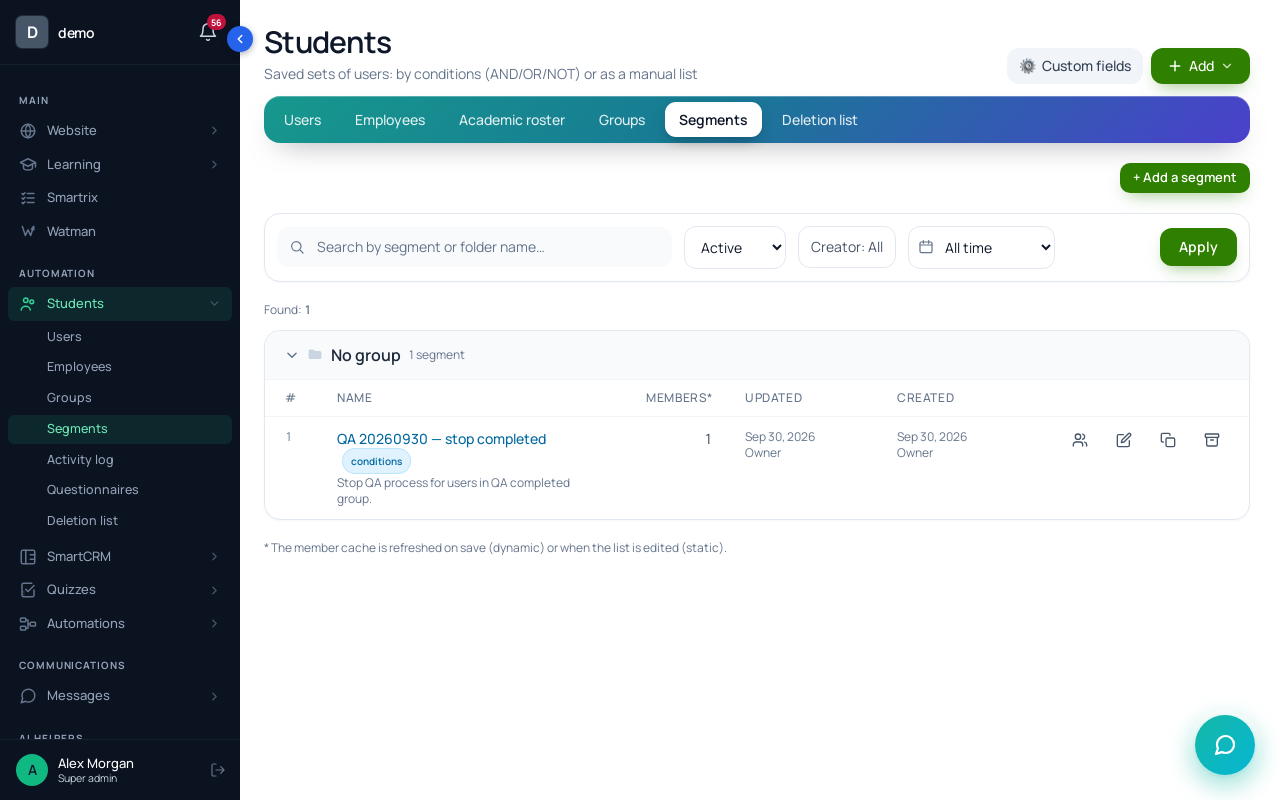
- Add a stop rule for buyers. In "Students" → "Segments" → "+ Add a segment", create a "Dynamic" segment called "Bought: Record Vocals at Home" with the same training-access condition, then "Create and open". Dynamic segments recalculate by themselves.
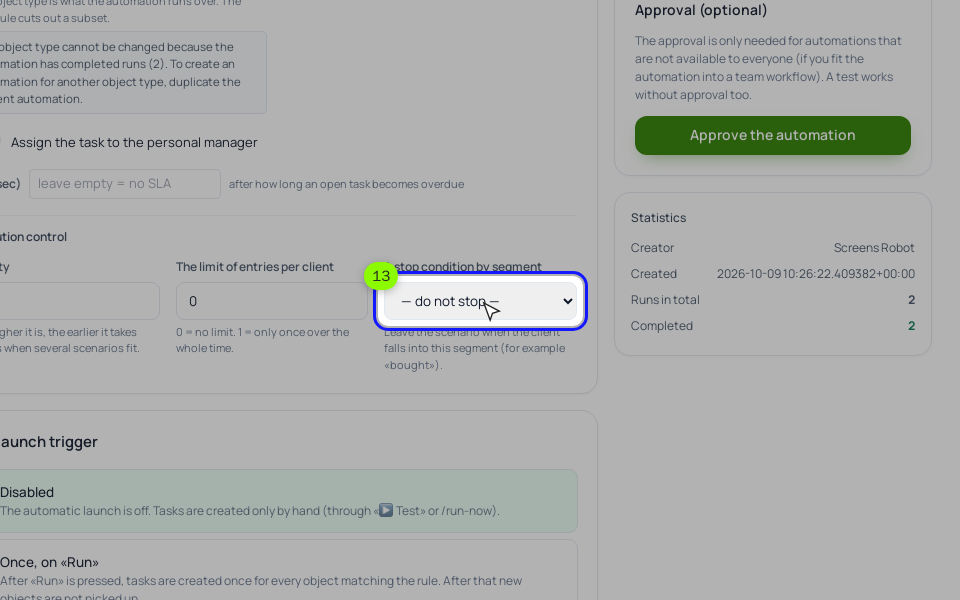
- On the process "General" tab, choose that segment in "A stop condition by segment". Anyone who falls into it leaves the process from whatever block they're on, so a buyer doesn't sit in a 3-day delay with an offer queued behind it. The "Condition" blocks stay as a check at the moment each offer would go out.
Before going live, run "🧪 Simulate" on the "Process" tab to walk the chain without sending anything, then "▶ Test" with your own email. A test starts at once, ignoring the trigger and the entry rule, and its emails really go out; follow the run on the "Tasks" tab. If you add a "Run a broadcast" step later, connect SendPulse or your own SMTP in "Integrations" first, because broadcast emails don't go out without one of them. A month in, the "Statistics" tab shows "The funnel by steps": how many runs reached each block, which is where you spot the email people stop at.
For longer, multi-week sequences built on the same blocks, see drip campaigns for courses. To connect this to ads and a landing page, see the automated sales funnel.
Setup order for your first week
- Pick one freebie and the one course it leads to. Write the tag name.
- Write the three useful emails before you write the offer.
- Write the offer email and the "questions before buying" email.
- Make Email required on the freebie form.
- Build the process: tag, three emails with delays, condition, offer, delay, condition, email 5.
- Create the dynamic "Bought" segment and set it as the stop condition.
- Simulate the chain, then test it on your own email.
- Connect the process to the form and send yourself a test lead.
- After two weeks, check the funnel by steps and rewrite the weakest email.
Can I nurture leads on Telegram instead of email?
As an addition, yes. In Scholaxy the "Send Telegram" block only reaches people who linked Telegram, and everyone else goes to the block's failed output. Keep email as the main channel and add Telegram for the people who have it.
How long should I wait before offering the course a second time?
After the sequence ends, we'd wait at least a few weeks and come back with something new: a new module, a live session, a cohort start date. Repeating the same offer to the same people every week mostly produces unsubscribes.
Should someone who unsubscribed still get order and login emails?
Yes. Unsubscribing stops marketing emails. Service emails about sign-in, orders and password recovery keep coming, because the person needs them to use what they paid for.