Drip Campaigns for an Online Course: A Sequence You Can Adapt
Drip campaigns are emails that go out automatically, one after another, with set pauses between them, starting when someone signs up. For an online course the most useful version is short: a free mini-course delivered over a few days, a check for whether the person actually finished it, then one offer for the paid course and one follow-up. Below is that whole sequence, six emails with full texts, ready to copy and adapt.
Each email comes with its goal and its interval. People who finished the free lessons and people who didn't get different emails, because those are two different conversations.
Drip campaigns and email sequences: same thing?
Mostly, yes: a series of automated emails in a fixed order. When people draw a line, "drip" means emails released on a timer, and "email sequence" means the ordered set, often with conditions between emails ("only if they haven't bought"). This template is both.
A newsletter or a one-off broadcast goes to everyone on one date; a drip starts separately for each person. For the strategy behind it (interest tags, how many emails), see lead nurturing for course creators. Here is the ready-made sequence.
The example: a free mini-course for a $149 espresso course
Say you teach home espresso. Your paid course, Espresso at Home, costs $149 and has 14 video lessons. The free mini-course, "Better espresso in 3 days", has three lessons of about ten minutes each: weighing the shot, fixing the grind by taste, and steaming milk. About 400 people a month sign up for it. Example numbers, not benchmarks.
Why a mini-course and not a PDF? A PDF gets downloaded and forgotten. Three lessons put the reader at the machine three times, and finishing them shows they had the time and the will to practise. The sequence turns on that signal.
The email sequence at a glance
Lesson emails go out a day apart: the person asked for them, and a week between lessons kills the habit before it forms. After lesson 3 the pace drops to two or three days, because from there you're asking for attention.
Example sequence for the $149 Espresso at Home course (days for people who don't finish the free lessons):
| Day | Goal | Skipped if | |
|---|---|---|---|
| 0 | 1. Lesson 1 | Get lesson 1 opened today | Bought |
| 1 | 2. Lesson 2 | Get lesson 2 done | Bought |
| 2 | 3. Lesson 3 | Finish the mini-course | Bought |
| 5 | 4. The nudge | Bring non-finishers back, no pitch | Finished lesson 3, or bought |
| 7 (finishers: on completion) | 5. The offer | Make the offer once | Bought |
| 10 (finishers: 3 days after the offer) | 6. Questions | Answer objections, then end | Bought |
The six emails, in full
Swap the topic and keep the shape. Each body stays under 130 words: the lesson does the teaching, the email only gets people to it.
Email 1, day 0: lesson one
Goal: lesson 1 opened today. Sent within minutes of sign-up.
Subject: Lesson 1: weigh your shot (you need a kitchen scale) Preheader: Ten minutes, one scale, and a shot you can repeat tomorrow.
Hi {first_name},
You're in. The mini-course is three short lessons, one a day, and the first is open now: (link to lesson 1).
It takes about ten minutes. Have your machine on, a kitchen scale that reads to 0.1 g, and whatever beans you have at home.
By the end you'll pull a shot with a weighed dose and a weighed yield. Write down three numbers: grams in, grams out, seconds. Tomorrow's lesson uses all three, so keep the note by the machine.
If something in lesson 1 doesn't work on your machine, reply and tell me which machine it is.
Sam
Email 2, day 1: lesson two
Goal: lesson 2 done. The three numbers from lesson 1 tie the two lessons together.
Subject: Lesson 2: is your shot sour or bitter? Preheader: Use yesterday's three numbers to fix the grind.
Hi {first_name},
Got your three numbers? Today they tell you which way to turn the grinder.
Lesson 2 (link) is one test. Taste the shot and look at the time. Sour and under 25 seconds: the water ran through too fast, so grind finer. Bitter and over 30 seconds: grind coarser. Change one step at a time and keep the dose the same, or you won't know what fixed it.
Most people need three or four shots to get there. That's normal, and it's why the lesson ends with a small log you can print.
Milk is tomorrow.
Sam
Email 3, day 2: lesson three and the finish line
Goal: the reader completes lesson 3. The rest of the sequence waits for this, so ask for it plainly.
Subject: Lesson 3: milk that pours (the last free lesson) Preheader: Finish this one and you've made the whole drink, start to end.
Hi {first_name},
Last lesson. Lesson 3 (link) is steaming milk for a flat white: where to put the steam tip, when to stop adding air, and how to judge the temperature by hand if you don't own a thermometer.
When you're done, mark the lesson as finished at the bottom of the page. That closes the mini-course, and my next email tells you what the full course adds.
Not a milk drinker? Watch the first four minutes anyway. The steam wand cleaning routine matters for every machine.
Sam
Email 4, day 5: the nudge, only for people who didn't finish
Goal: bring stalled readers back. No offer: someone who stopped at lesson 2 has no reason yet to think a 14-lesson course will go better.
Subject: Still on lesson 2? Here's the 5-minute version Preheader: Most people stall on the grind. One change usually gets the shot moving.
Hi {first_name},
You haven't finished lesson 3 yet. That usually means one of two things: no time, or the shot still tastes wrong and milk felt pointless.
If it's the shot, go back to lesson 2 (link) and change only the grind, one step per shot, until the time lands between 25 and 30 seconds. Ignore everything else for now.
If it's time, lesson 3 (link) is nine minutes. Watch it once without the machine and try it at the weekend.
Either way, reply with your three numbers and I'll tell you which way to turn the grinder.
Sam
Keep that last line only if you will answer within a day.
Email 5: the offer
Goal: the sale. Finishers get it the moment they complete lesson 3, everyone else on day 7, two days after the nudge.
Subject: Espresso at Home: the next 14 lessons Preheader: Puck prep, latte art and a routine for every new bag of beans. $149.
Hi {first_name},
The mini-course got you a shot you can repeat. Espresso at Home covers what comes after it:
- puck prep that stops channelling (water rushing through one weak spot)
- dialling in a new bag of beans in three shots instead of ten
- latte art, from a heart to a tulip
- cleaning and descaling, so the machine keeps pulling the same shot
It's 14 video lessons of 8–12 minutes, and after lesson 9 you can send me a video of your pour for feedback.
$149, one payment: (link to the course page)
If it isn't for you yet, ignore this. One more email with answers to common questions, then the series ends.
Sam
Email 6, three days after the offer: questions before buying
Goal: answer real objections, then end. No countdown: everyone starts on a different day, so a "last chance" date would be invented.
Subject: Do I need a better grinder? (and two other questions) Preheader: Short answers before you decide about Espresso at Home.
Hi {first_name},
Three questions come up before people buy the course.
Do I need a better grinder? Not to start. Lessons 1–6 work on any grinder that goes fine enough for espresso, and lesson 7 shows how to tell when yours is the limit.
My machine has a pressurised basket. Will this work? Partly. Dosing, milk and cleaning do. Dialling in by taste is limited with that basket, and lesson 2 shows the cheap swap.
How much time does it take? One lesson and a few shots, two or three times a week.
The course is here: (link). This is the last email about it in this series.
Sam
Where this sequence fails
The list is too small. At 40 sign-ups a month, a 35% finish rate is 14 finishers and one or two purchases. That can't tell you which email works, so don't rewrite emails over it; read the replies and fix the lessons people ask about.
You send too often. Daily is fine for three days of lessons someone asked for. Daily after that, or a second sequence running alongside, is where unsubscribes come from.
Nobody finishes the mini-course. Then the finishers' branch sits empty, and rewriting emails won't fix it. Shorten the lessons, cut lesson 3 to the one thing that matters, or make the free course two lessons.
The free lessons solve too much. If lesson 3 leaves people fully satisfied, the paid course has to start where the mini-course stops, and the offer email should say exactly where that is.
How to measure it (and why opens don't count for much)
Open rates are weak evidence. Some mail apps load images in the background, which counts as an open whether or not anyone read the email. Use opens to compare subject lines, not as proof the sequence works.
What to count instead:
- People who entered each lesson. That shows whether emails 1–3 work.
- Lesson 3 completions. This is the number your offer timing depends on.
- Replies to emails 1 and 4. Few, but they name the machines and problems your readers have.
- Purchases, split by branch: finishers and non-finishers.
Suppose month one looks like this: 400 sign-ups, 140 finish lesson 3, 9 of those 140 buy, and 4 of the other 260 buy. That's 13 sales and $1,937. Finishers bought at about 6.4%, non-finishers at about 1.5%. With a split like this, the lever is the mini-course: getting more people through lesson 3 beats polishing the offer email. (Invented numbers, to show how to read the split.)
The wider email plan is in email marketing for course creators.
How to set this up in Scholaxy
In Scholaxy the mini-course is an ordinary course opened by a group, and the drip campaign is one process: emails, delays and one "Wait for condition" on lesson 3.
The mini-course. On the three-lesson course's training page, click "🔐 Access", choose "Restricted", tick a group such as "Espresso mini-course" in "Allowed groups" and "Save the access". Then pick "Show to students" in the course's ⋯ menu.
The form. In "Website" → "Widgets" → "Edit form", tick "Required" on Email (after-submit actions run only for leads with an email). On the "After submitting" tab, pick the group in "Add to the groups" and the process in "Start the processes when the form is submitted". A new person sees a button to sign in to their personal account right after sending.
The process. "Processes" → "Create new" → "By LMS users". On the "General" tab set "The launch trigger" to "Disabled" (the form starts it, even while the process is inactive) and "The limit of entries per client" to 1.
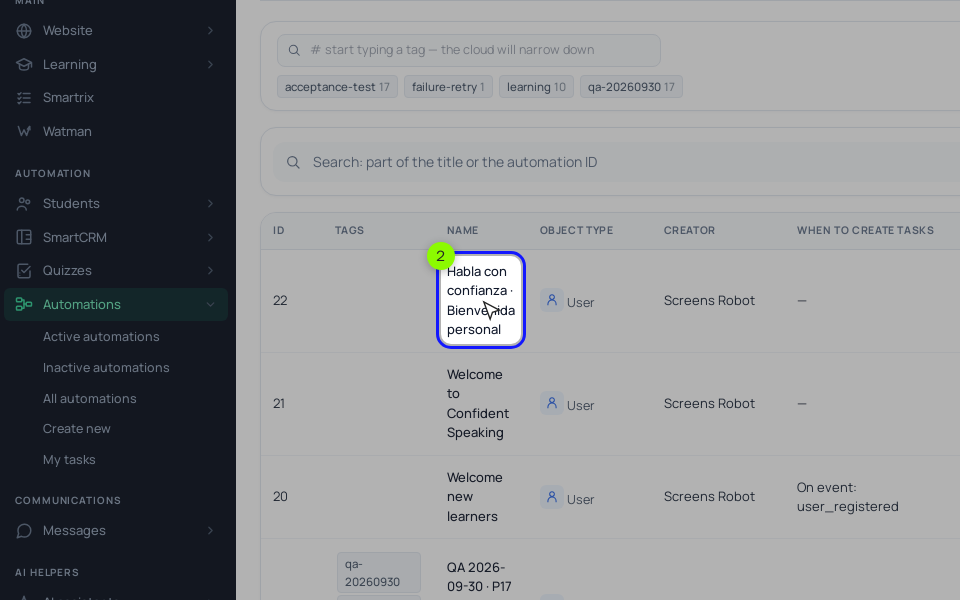
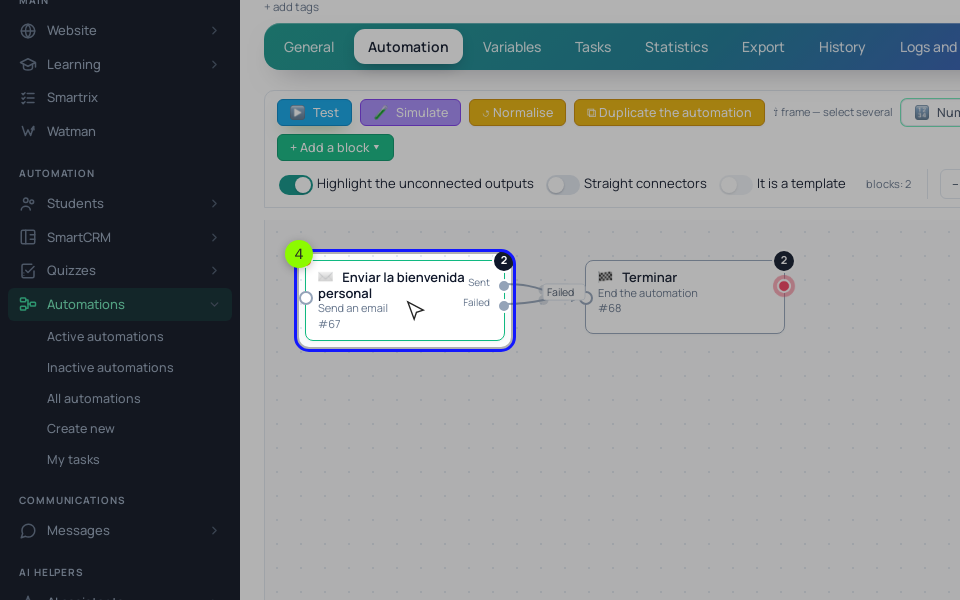
- The chain. On the "Process" tab add, in order: "Send an email" (email 1), "Delay" of 1 day, "Send an email" (2), "Delay" of 1 day, "Send an email" (3), "Wait for condition".
- The check. In "Wait for condition", set the rule "Course participant: lesson (entry, homework, video)", pick the mini-course and lesson 3, add "Lesson completed": yes, and a timeout of 3 days. The default output goes to "Send an email" with the offer, a "Delay" of 3 days, email 6 and "End the process". The timeout output goes to email 4, a "Delay" of 2 days, a second "Send an email" with the offer text, a "Delay" of 3 days, a copy of email 6 and "End the process". If lesson 3 has an assignment, it counts only once the answer is accepted, unless you clear "Count the lesson only after the homework is accepted" on the training's "Behaviour" tab. Check with a test student.
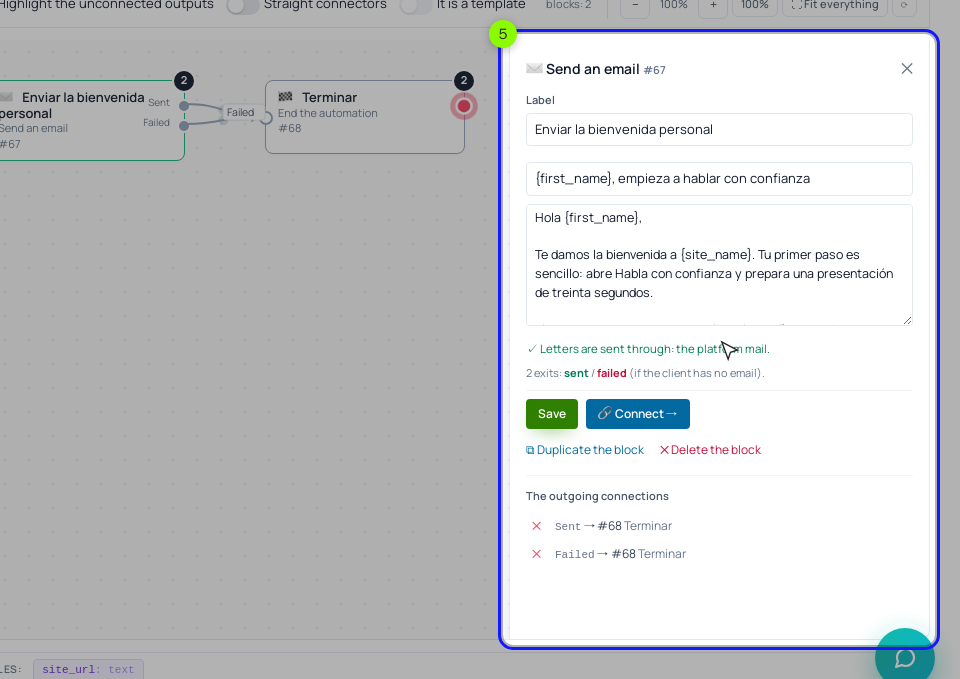
"Send an email" has a subject and a text, but no preheader field: most inboxes show the first sentence of the text as the preview, so write that sentence like the preheaders above. The block skips anyone who unsubscribed and adds an unsubscribe link.
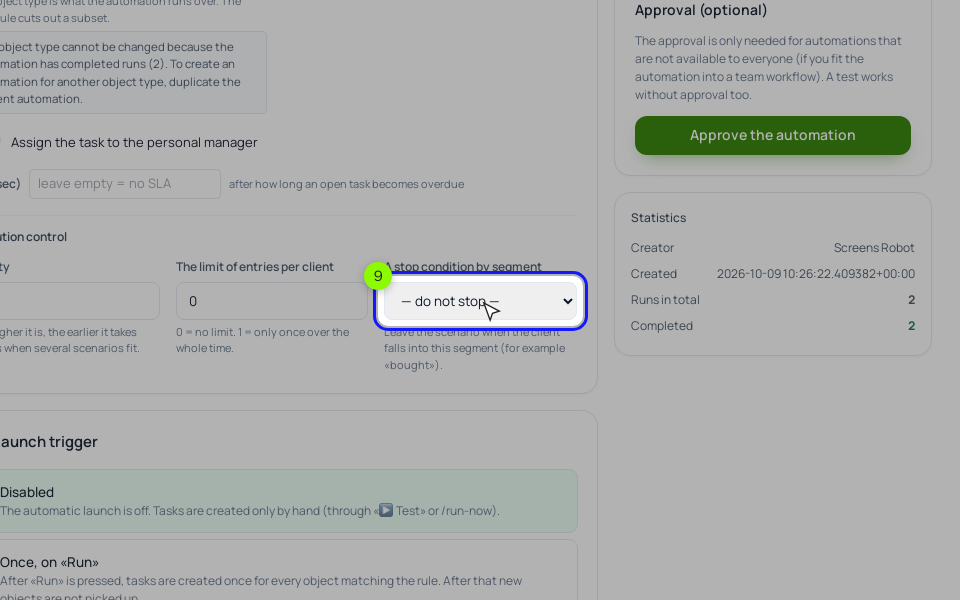
- The stop rule. Create a "Dynamic" segment, "Bought Espresso at Home": "+ Add a group of conditions", "Training access" with the "open now" option for the paid course, "Save and recalculate".
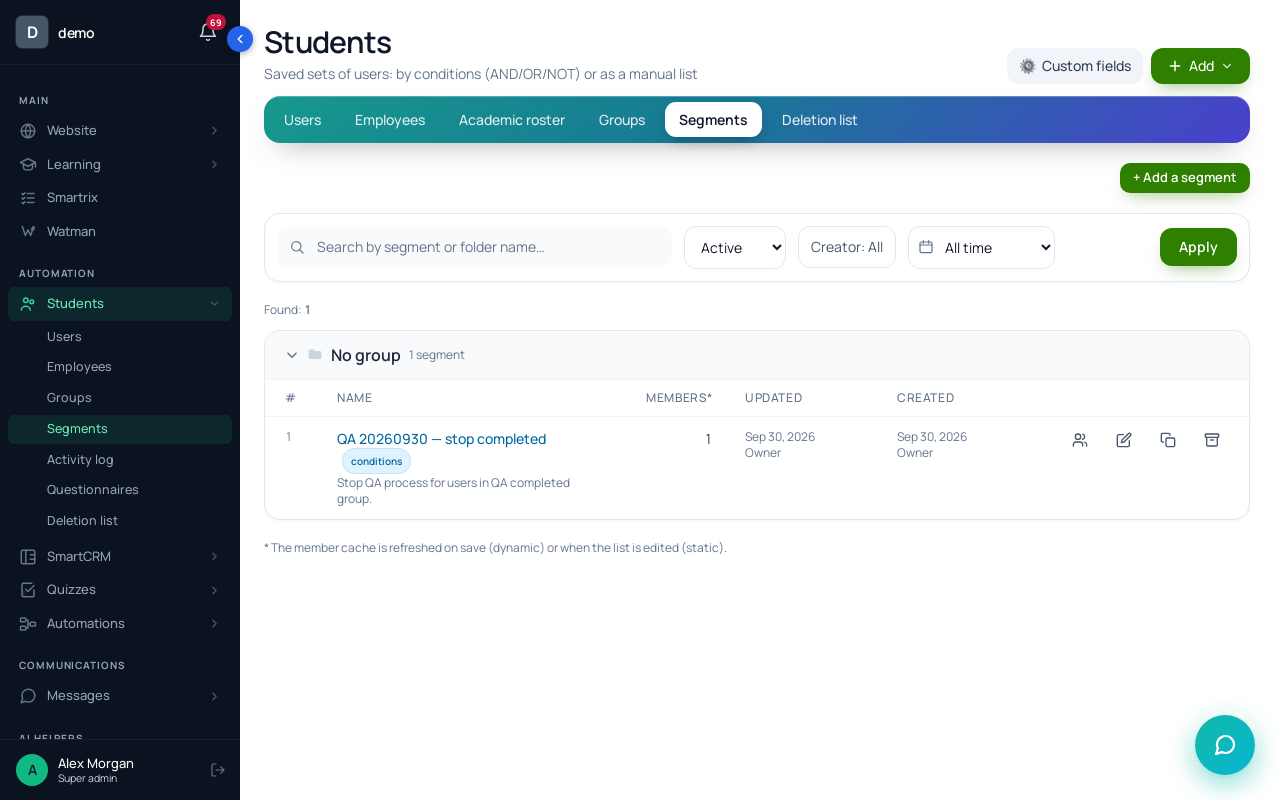
On the process "General" tab, pick it in "A stop condition by segment". A buyer leaves the run at whatever block they're on.
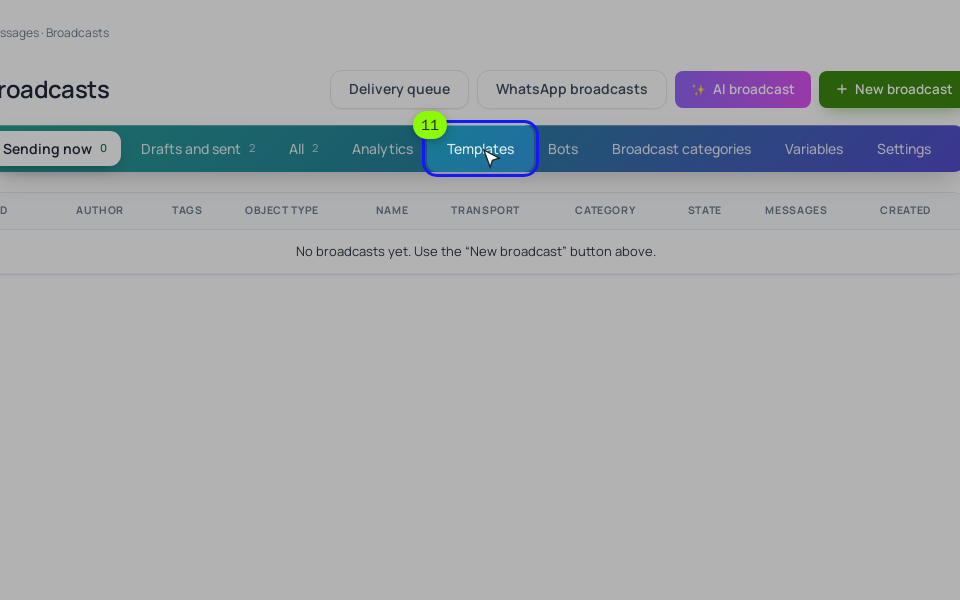
- Templates. "Messages" → "Campaigns" → "Templates" stores reusable emails, and the "Run a broadcast" block can send one from a process. We'd still keep this sequence in "Send an email" blocks: chain emails from "Run a broadcast" don't respect unsubscribes yet, and broadcast emails only go out once SendPulse or your own SMTP is connected in "Integrations". Use templates later, for a one-off broadcast to finishers who didn't buy.
Before going live, click "🧪 Simulate" (a dry run, nothing is sent), then "▶ Test" with your own email; test emails really go out. Follow the run on the "Tasks" tab. After a month, "Statistics" → "The funnel by steps" shows how many runs reached each block, so you see how many finished lesson 3 and how many timed out. A segment with "Course participant: lesson" and "Entered the lesson" counts who opened each lesson. To put ads and a landing page in front of this, see the automated sales funnel.
Setup order
- Record three free lessons of ten minutes or less.
- Open the mini-course to a group and show it to students.
- Form: Email required, the group, the process.
- Write the six emails, each opening with a preheader-style line.
- Build the chain: three lesson emails, the wait on lesson 3, both branches.
- Create the buyers segment and set it as the stop condition.
- Simulate, then test on your own email.
- After a month, compare purchases by branch.