Webinar Promotion for Course Creators: Registration, Emails and Follow-up
Webinar promotion is two jobs. The first is getting the right people to register: your own email list, your social channels, a partner who already has your audience, and paid ads if the numbers allow it. The second is getting those people to turn up on the day. That part is done by a confirmation email, two reminders and a registration page that says the date and time zone plainly, and it costs no extra ad money.
Plan both backwards from the sales you need. Count how many registrants that takes at your show-up rate, then decide where they come from. A registration count on its own tells you very little: 800 registrants who don't show up sell nothing.
We'll use one example throughout. Say you teach watch repair and sell Service Your First Watch, a $189 video course on taking apart, cleaning, oiling and reassembling a basic mechanical movement. The free webinar is live: "Open a mechanical watch without scratching it, and the first service you can do at home", Thursday at 7 p.m. Eastern Time, 60 minutes, with the course offer at minute 45. Promotion starts 12 days before.
A webinar marketing strategy starts from sales
Pick the number you need and work back. In the example the goal is 20 sales, $3,780. The rates below are assumptions made for the walkthrough, not benchmarks:
- 40% of registrants come to the live session (the show-up rate), so 800 registrants means 320 people in the room.
- 5% of the people in the room buy during or right after it: 16 sales.
- 4 more buy from the replay and follow-up emails. That's 20 sales, 2.5% of registrants.
- 32% of visitors to the registration page sign up, so 800 registrants take 2,500 visits.
Put your own rates into the calculator. In it, "lead" means a registrant.
Example values for the watch repair webinar (change them to your own).
| Step | Example | Result |
|---|---|---|
| Visitors to the registration page | 2,500 | |
| Visitor to registrant | 32% | 800 registrants |
| Registrant to buyer | 2.5% | 20 buyers |
| Price | $189 | $3,780 revenue, about $1.51 per visitor |
| Visitors +10% (2,750) | 22 buyers, $4,158 | |
| +1 point visitor to registrant (33%) | about 20.6 buyers, about $3,898 | |
| +1 point registrant to buyer (3.5%) | 28 buyers, $5,292 |
Reverse mode with a $3,780 target: 20 sales, 800 registrants, 2,500 visitors.
Show-up is hidden inside "registrant to buyer", and it's the cheapest part to move. Raise it from 40% to 50% and the room holds 400 people instead of 320. At the same 5%, that's 20 sales in the room instead of 16, plus the same 4 from emails: 24 sales, $756 more, with no extra ad spend. Getting those 4 sales from ads instead would take 160 more registrants, and in the example ads bring a registrant for $3, so that's $480.
Webinar promotion channels: where 800 registrations come from
The example split by channel (again, assumed rates):
| Channel | Visits | Registered | Visit to registrant |
|---|---|---|---|
| Your email list (2,400 subscribers, two invitations) | 800 | 320 | 40% |
| Posts and a short video on your own channels | 600 | 150 | 25% |
| A partner's newsletter (a watch-parts shop) | 500 | 180 | 36% |
| Paid ads ($450 at $0.75 a visit) | 600 | 150 | 25% |
| Total | 2,500 | 800 | 32% |
Promotion runs 12 days in the example, in this order:
Your own list
People who already downloaded your free guide or bought from you know your name; in the example they register at 40%, the best rate of any channel. We'd send two invitations: the first 12 days out, the second about 6 days out, only to people who haven't registered yet. A third email on the day before, "tomorrow at 7 p.m.", catches people who meant to sign up. The wording of each is in webinar invitation email templates.
Your own channels
We'd make every post teach a piece of the webinar. A 60-second clip of you opening a case back with a case knife, and the scratch you get when the knife slips, says more than "Join my free class". Put the registration link where people can click it, and give each place its own UTM tag so you can tell them apart later.
A partner
A shop, a forum or a newsletter with the same audience brings warm people you don't have yet. Ask for one mention on an agreed date and offer something real in return: a mention back, a discount code for their parts in your course, or a share of sales. The example assumes the shop's readers register at 36%, close to your own list.
Paid ads
We'd turn ads on last, after the page converts well on your own list. If list traffic signs up at 40% and ad traffic at 25%, the page is fine and the ad is simply colder. If both are low, fix the page first. In the example, a registrant from ads costs $3 ($450 for 150), and the average registrant is worth $4.73 ($3,780 divided by 800). That margin only holds if people from ads show up and buy like the rest, so compare show-up by source the day after the webinar before you raise the budget.
The webinar is also lead generation: 780 of the 800 registrants don't buy this week, but they are on your list for the next session.
What the registration page has to say
The page needs:
- the result in the title: "Open a mechanical watch without scratching it", not "Free watchmaking masterclass";
- the date, time and time zone, and the length: "Thursday, 7 p.m. Eastern Time, 60 minutes";
- who it's for, in one line: "You've never opened a watch, or you tried and scratched one";
- what to have ready: a case knife, a loupe and a cheap practice movement;
- what happens with the recording, said honestly (see below);
- a form with a name and an email. Ask for a phone number only if you will really call or text.
Then the screen after the form. It should say what happens next: "You're in. Your link to the room is below, and we've sent it to your email too." Only write that last part if your system actually sends that email.
Reminders and the show-up rate
The show-up rate is people who came divided by people who registered. A registration made 12 days ago competes with 12 days of other plans, so the work happens between the form and the start:
- A confirmation email right after registering: the date and time with the time zone, the personal link, what to have ready, and a line asking people to add it to their calendar.
- A reminder the day before.
- A reminder an hour before, with the link as the first thing in the email.
We'd stop at three emails to people who asked for the webinar. A fourth "starting in 10 minutes" email can help with a list that knows you; we'd try it on one webinar and compare show-up before keeping it.
The recording question. Promising a replay to every registrant probably lets some of them skip the live session, and hiding it feels like a trick. We'd promise the recording and give a real reason to come live: questions answered on the spot, and in the watch example, checking viewers' photos of their first opened case back during the Q&A.
After the webinar, the follow-up emails to everyone who registered (attendees and no-shows) carry the offer. That series is covered in webinar follow-up emails.
One-off live webinar or an automated one
Everything above assumes a one-off live session with a date: a campaign with invitations, a start time and reminders, and then it's over. Each session costs you an evening.
An automated webinar on demand has no date. Promotion becomes a steady stream of traffic to a page that says "Watch now", and the show-up problem moves: people register and then don't press play. There the confirmation email does the reminder's job, and it goes out within the hour. With scheduled slots (say, Tuesdays and Saturdays), each slot needs its own reminders. How recordings, slots and the offer button work is in the automated webinar guide. We'd run the first two sessions live, promote them as above, and only then move the best recording to on demand.
Where webinar promotion goes wrong
- Counting registrations and stopping there. A channel that brings 300 registrants of whom 50 come is worse than one that brings 150 of whom 90 come.
- No time zone, or a time zone in an abbreviation half your list doesn't know. Write the city too: "7 p.m. Eastern Time (New York)".
- Promotion that starts too early or too late. Three weeks out, people forget; two days out, their evening is booked. We'd use 10–14 days for a list-driven webinar.
- Sending the second invitation to people who already registered. They read it as "did my registration fail?"
- Ads before the page works. Paying for traffic to a page that converts 10% on your own list just makes the problem bigger.
Two limits. For a cheap course (say $29), an hour-long class asks too much of the viewer, and a free guide does the job. And with fewer than about 100 registrants, rates jump from one session to the next, so don't rebuild everything after one weak webinar.
How to set this up in Scholaxy
In Scholaxy the pieces are a webinar under "Website" → "Webinars", a website page with a "Webinar signup" block, a group for registrants, a segment and broadcasts for the invitations, and the built-in reminder emails.
Step 1. The webinar.
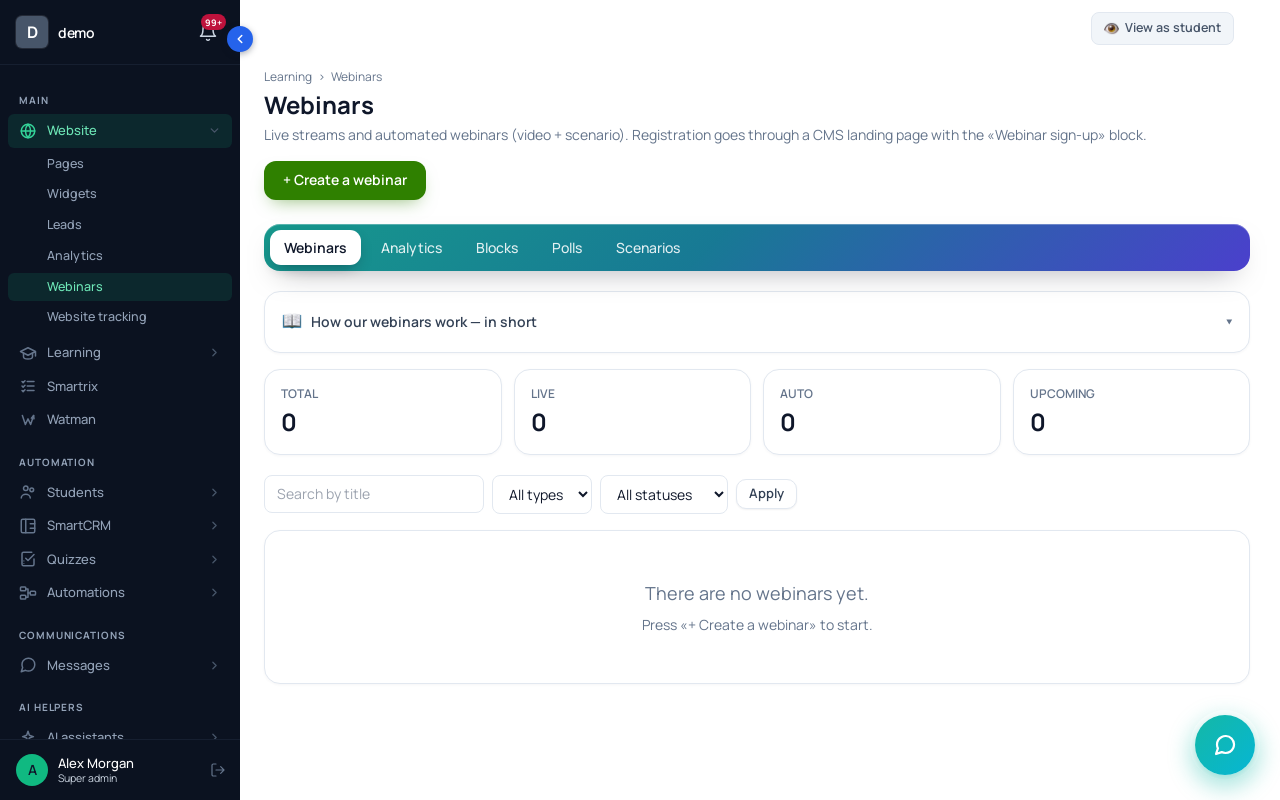
A one-off live session is a "Live" webinar with "Date and time" filled in. Leave its status at "Scheduled": a webinar in "Draft" gets no day-before or hour-before reminders. The switch "Send the system emails about the webinar" is on by default; keep it on.
Step 2. The registration page.
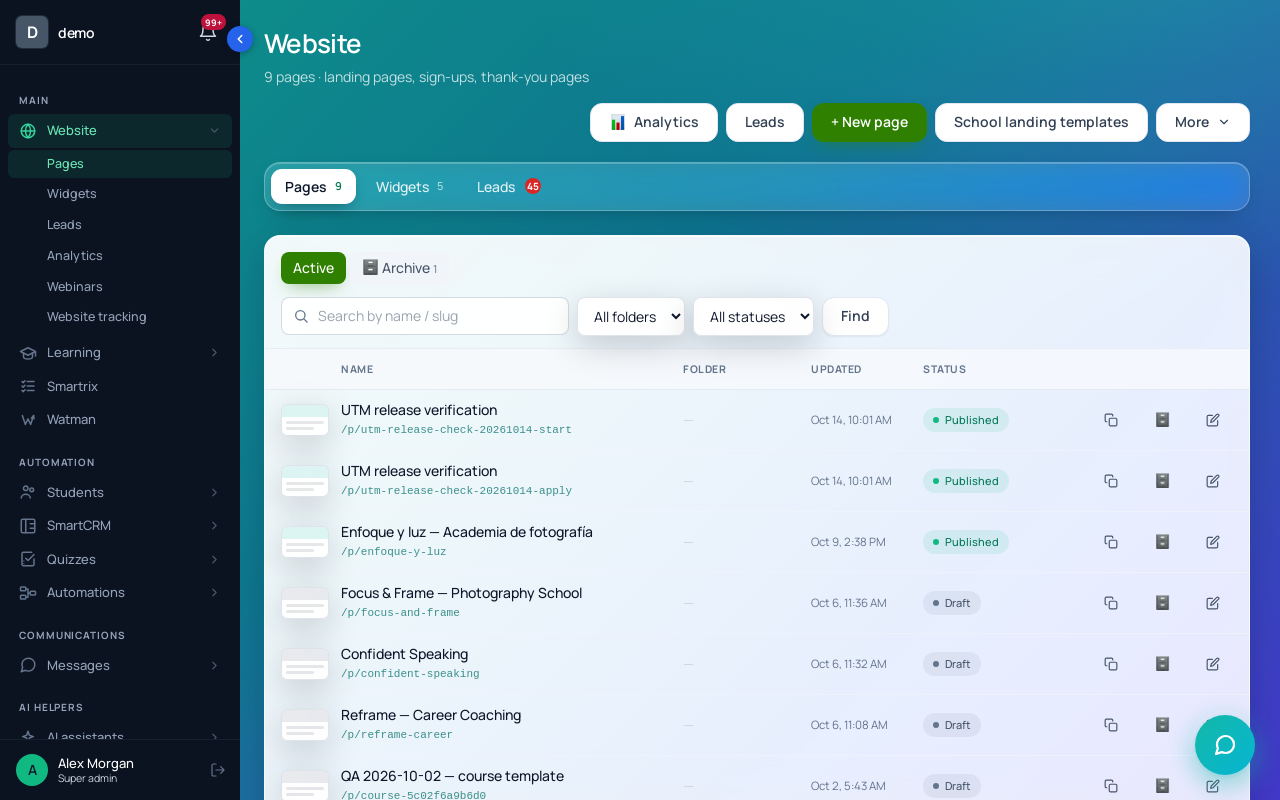
On a page under "Website" → "Pages", add the "Webinar signup" block (category "Forms & leads") and enter "The webinar ID *". The form asks for a name and an email. "Ask for the phone" is on by default, so switch it off if you won't call. The block's default "The message after signing up" says the link has been sent to the person's email, and the line under the form says it will be. No email goes out at sign-up by itself, so make that true: in "Start a process", choose a process with one "Send an email" step carrying {webinar_link}, the person's own room link. The process has to be active (the picker marks others "it will not start"). In "Add to the groups", pick a group such as "Watch webinar registrants"; you'll need it for the invitations. Publish the page and choose it in the webinar card's "Sign-up landing page". The rest of the page setup, including the offer button, is in the webinar funnel walkthrough.
Give every channel its own link: /p/watch-webinar?utm_source=newsletter&utm_campaign=watch-live, utm_source=partner, and so on. Tags in the link take priority; "📊 Default UTM tags" in the block cover direct visits.
Step 3. Invitations to your list.
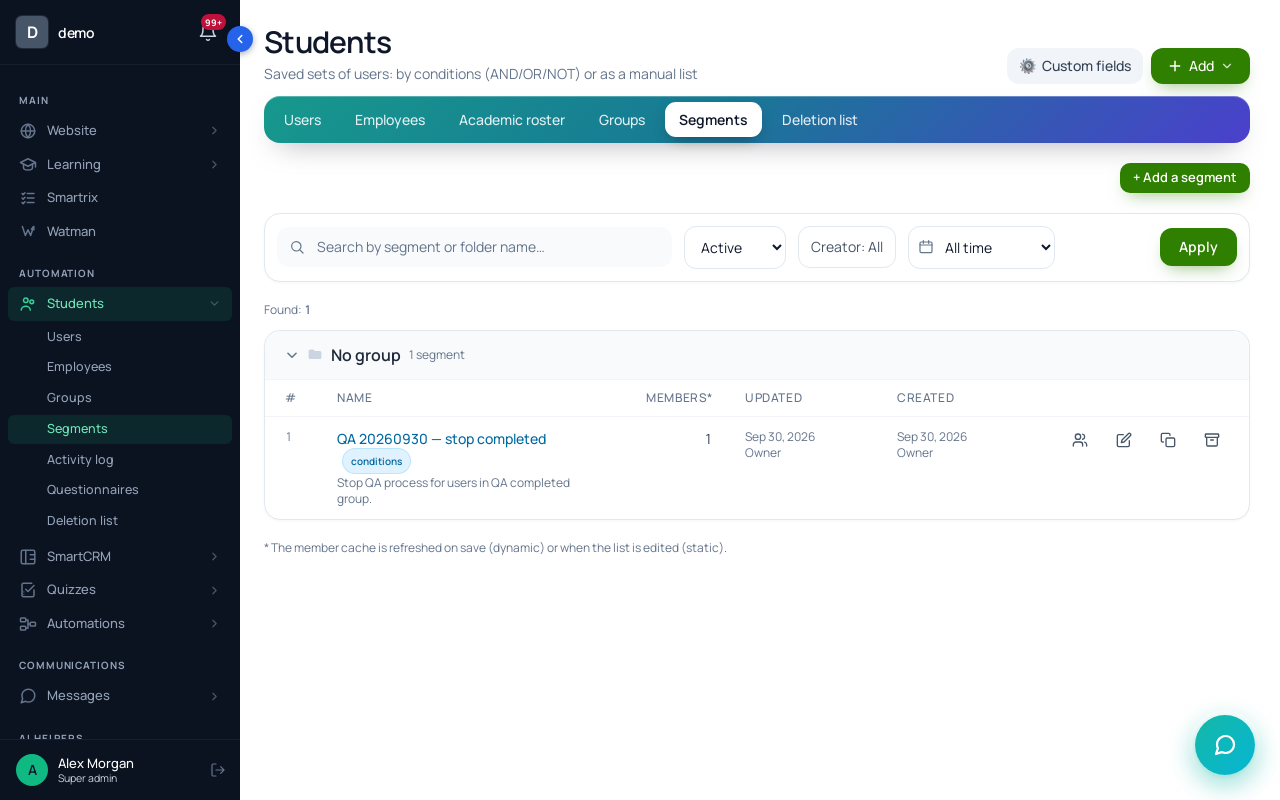
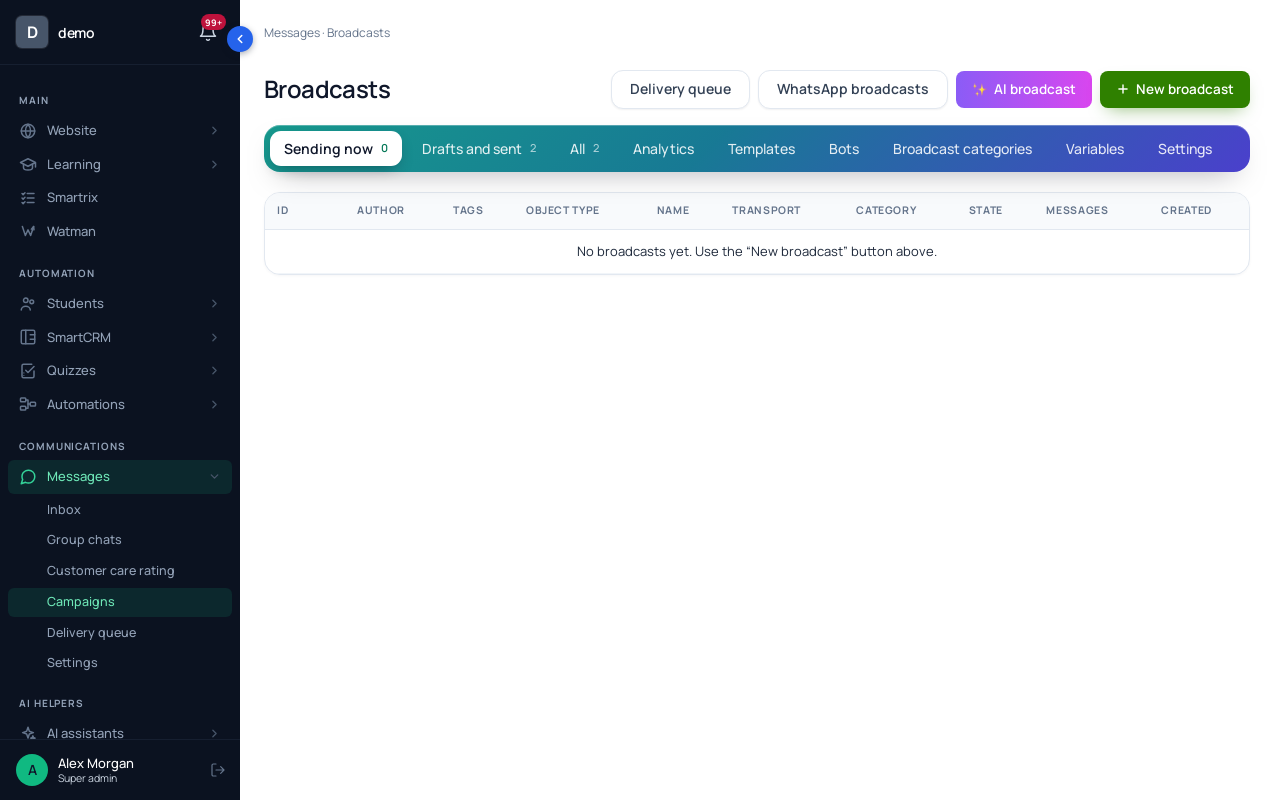
If your subscribers aren't in Scholaxy yet, "Import students" takes a CSV or XLSX with email and full_name (up to 500 rows a file), sends no emails, and can put new people into a "Group". Import only people who agreed to get emails from you. Then create a "Dynamic" segment with two conditions: "In a group" set to your list's group, and "In a group" set to the registrants group with "NOT" switched on. Send each invitation from "Messages" → "Campaigns" as a broadcast "By segment" and "Schedule" it. The segment is recalculated at the moment of sending, so the second invitation skips everyone who registered after the first. Broadcast emails go out only through SendPulse or your own SMTP, and each one has an unsubscribe link.
Step 4. Reminders. With a date set, Scholaxy sends registrants a reminder about a day before, another an hour before, and a "you missed it" email to people who didn't come. The day-before email goes out roughly 24 hours ahead, so people who register later get only the hour-before one. Dates and times in these emails are shown in the recipient's time zone. You can rewrite their texts in "Email templates"; the invitation article has templates for both. A registrant who signs in also sees the webinar in "My webinars" with "📅 Add to calendar".
Step 5. Read the numbers the day after.
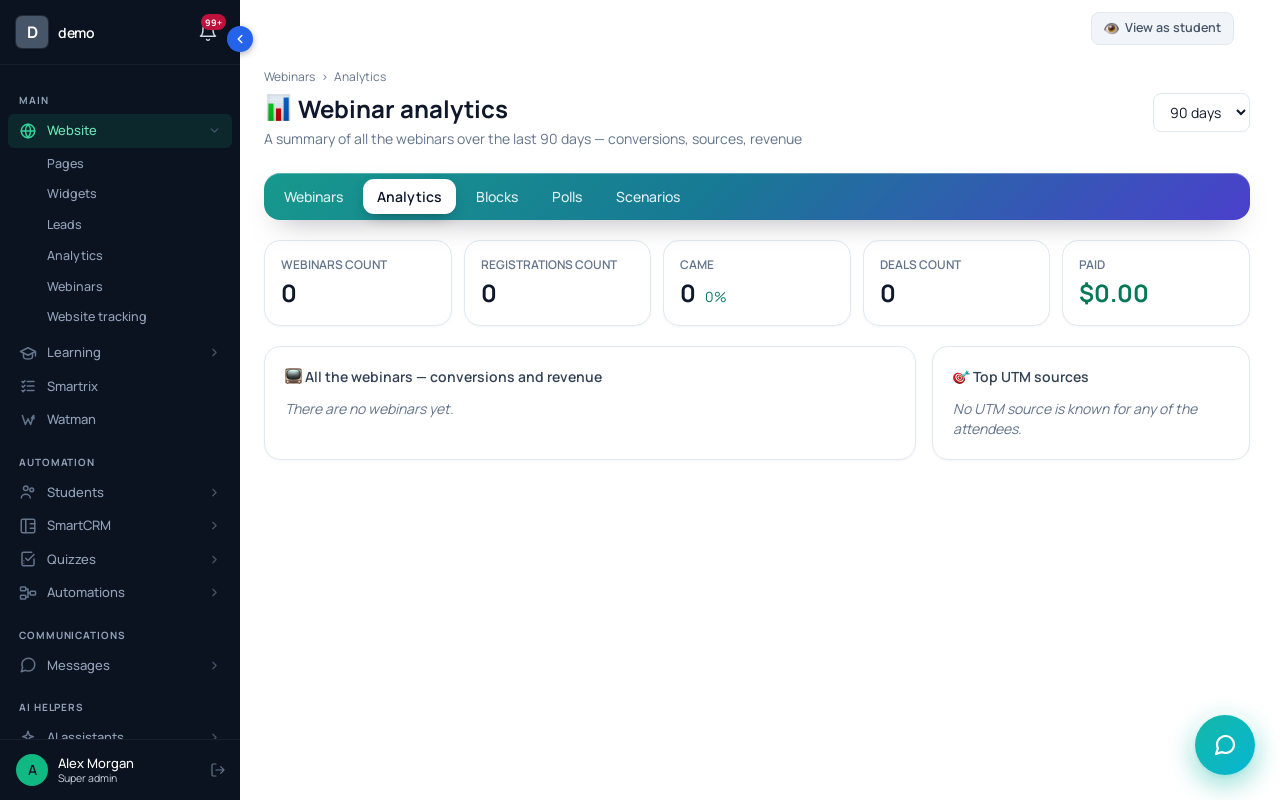
The webinar's "📊 Analytics" shows "Conversion into attendance", which is your show-up rate, and "Where they came from (UTM)" with "Registrations", "Came" and "Conversion" for each source. "Came" means the person clicked "▶ Join the broadcast" or was marked by hand. For a dated webinar, it also compares new users (who joined your base within 30 days before it) with "Old ones". The "Analytics" tab sums up "Top UTM sources" across all webinars for the period.
Your promotion calendar
- 14 days out: create the live webinar with its date, publish the registration page, register yourself with a second email.
- 14 days out: check that the confirmation email arrives with a working room link.
- 12 days out: invitation 1 to your list; the partner's mention; a first post with its own UTM link.
- 9 days out: start ads at a small daily budget, only if the page converts well on your own list.
- 6 days out: invitation 2 to people who haven't registered; a short teaching video.
- 1 day out: the day-before reminder goes to registrants; the last invitation, "tomorrow at 7 p.m.", goes to everyone else.
- Webinar day: the hour-before reminder; open the room 15 minutes early.
- The day after: show-up rate overall and by source; follow-up emails to everyone registered.
- Before the next webinar: drop or fix the channel with the lowest show-up, not the one with the fewest registrations.