Webinar Funnel for Course Sales: Registration, Presentation and Offer
A webinar funnel is the path from an ad to a paid course that runs through a free class. A registration page collects an email. The person watches the webinar, live or recorded. At a planned minute you make the course offer, and a short chain of emails afterwards reaches everyone who didn't buy in the room, including the people who never showed up.
Every step of that path loses people, each for its own reason. So the useful way to work on a webinar funnel is step by step, with numbers: how many registered, how many came, how many were still there for the offer, how many ordered and how many paid. Then you fix the step that leaks most for the least effort. That is rarely the ad.
We'll follow one example through this article and the next one in the series, on webinar follow-up emails. Say you teach sewing and sell Fit Your Pattern, a $139 video course on adjusting sewing patterns so clothes fit. The free webinar is "Why your handmade clothes don't fit, and three fixes": recorded once, 60 minutes, with the offer at minute 45. It runs on demand, so people can watch right after they register.
The six steps of a webinar funnel
- An ad or a post brings a visit to the registration page.
- The visitor registers with an email and gets a link to the room.
- The registrant enters the room. For a live webinar that means turning up on Thursday at 7 p.m.; on demand it means pressing play at some point.
- The viewer is still watching when the offer comes.
- The viewer clicks and places an order: starts the checkout, or leaves a request if you sell on a call.
- The order is paid.
The seventh piece happens outside the room: follow-up emails to everyone registered who hasn't bought. In a webinar sales funnel they carry more weight than in a funnel built on a free PDF, because many registrants never reach the offer minute (800 of 1,000 in the example below).
The sewing funnel in numbers
Here is one month of the example. The ads cost $0.60 per visit. These rates are made up for the walkthrough, not benchmarks; put your own into the calculator.
| Step | People | Rate from the step before |
|---|---|---|
| Visits to the registration page | 4,000 | |
| Registered | 1,000 | 25% |
| Entered the room | 400 | 40% |
| Still watching at minute 45 | 200 | 50% |
| Ordered | 30 | 15% |
| Paid, in or right after the webinar | 21 | 70% |
| Paid after the follow-up emails | 11 | |
| All buyers | 32 | 3.2% of registrants |
32 sales at $139 is $4,448 a month. The ads cost $2,400, so a registrant costs you $2.40 and brings back about $4.45, and each buyer costs $75 in ads. Look at who never saw the offer: 600 registrants didn't enter the room and 200 left before minute 45. That's 800 of 1,000, and the 11 sales from emails sent to people who didn't buy in the room are a third of the month.
The calculator folds the room into one rate, registrant to buyer. In the example that's 40% × 50% × 15% × 70% = 2.1% from the room, plus 1.1% from the emails, so 3.2%.
Example values for the sewing webinar (change them to your own). Here "lead" means a registrant.
| Step | Example | Result |
|---|---|---|
| Visitors per month | 4,000 | |
| Visitor to registrant | 25% | 1,000 registrants |
| Registrant to buyer | 3.2% | 32 buyers |
| Price | $139 | $4,448 revenue, about $1.11 per visitor |
| Visitors +10% (4,400) | 35.2 buyers, about $4,893 | |
| +1 point visitor to registrant (26%) | 33.3 buyers, about $4,626 | |
| +1 point registrant to buyer (4.2%) | 42 buyers, $5,838 |
The last three rows are the point. Ten percent more visitors costs $240 more in ads and adds about 3 sales. One more point at registration adds about one sale. One more point from registrant to buyer adds 10 sales, and that point is made inside the room and in the inbox, not in the ad account.
Where each step leaks, and what to change
Visit to registration (25%)
The page loses people when it promises something different from the ad, asks for too much, or hides when the class happens. Its job is narrow: say what the viewer can do after the hour and take an email. "Three fixes for a dress that pulls across the back" tells a sewer what she gets; "A masterclass on garment fitting" doesn't. We'd ask for a name and an email and nothing else. The phone number can wait for people who ask for a call.
Registration to the room (40%)
People register with real intent, and then the evening fills up. For a live webinar the gap is days, and each reminder wins some of them back. On demand the gap can be zero: put the room link on the screen that appears after registering, so the person can start now, and send it again in the first email for those who closed the tab.
This step is cheap to move. In the example, attendance from 40% to 50% puts 100 more people in the room and 50 more at minute 45. At the same rates that's about 5 more sales ($730) a month with no extra ad spend.
Room to the offer minute (50%)
People leave during a slow start (ten minutes of "about me"), during teaching that stays general, and when the video stutters. Your webinar tool's retention chart shows the minute where the curve drops. If it drops at minute 8, the problem is the first 8 minutes, not the offer. In the sewing class, the first fix (measuring the high bust instead of the full bust) should be done by minute 12, so the viewer has a result before the halfway mark.
Don't fix this by moving the offer to minute 10. More people would see it, and fewer would believe it.
Offer to order (15%)
Here the losses come from a button that leads somewhere confusing, a price on the page that differs from the slide, or an offer that is just "join my programme" with no list of what's inside. The offer works when it continues the class: "Tonight you fixed the bust. The course does shoulders, back, waist and hips the same way, on your own pattern, for $139." Keep the button on screen through the Q&A: someone who hears their own doubt answered at minute 52 should still find it there.
Order to payment (70%)
Card declines, a currency surprise, a checkout that is awkward on a phone, or a request that nobody follows up. Buy the course yourself from your phone before the first session. If you sell through a request form (more common for higher prices), reply within a day. A request that waits a week has gone cold.
After the webinar
Everyone registered who hasn't bought gets a short series: the link again (the replay), the offer in writing, answers to the questions people asked, and a last note. The full texts of those four emails are in webinar follow-up emails. The series stops when someone buys.
Live or automated webinar funnel
The steps above don't change between the two. What changes is who does the work and when.
A live webinar has a date, a host and real questions answered on the spot. It suits a launch with a real deadline and an audience that already knows you, and each session costs you an evening. An automated webinar funnel plays a recording, on demand or on a schedule, so it runs every day without you. On demand, attendance depends on the minutes right after registration rather than on a reminder for Thursday. How the recording, the timeline and the offer button work is covered in how an automated webinar works.
We'd run the first two or three sessions live and keep the best recording. By then you know which questions come up and whether minute 45 is the right moment for the offer. The cost is a few evenings and a smaller audience at first. Then switch to on demand and leave live sessions for launches.
When a webinar funnel is the wrong tool
For a cheap course the hour is too expensive. At $29, with the same $2.40 per registrant, one registrant in 12 has to buy just to pay for the ads (2.40 / 29 is about 8.3%), and a free PDF or a short email course costs the reader much less time. For a $1,500 coaching program, end the webinar with a call booking instead of a checkout. And with fewer than about 100 registrants a month, the rates jump around from week to week: a drop from 40% to 30% attendance can be four people.
The mistakes we'd check first:
- Judging the funnel by registrations. A page that brings 1,500 registrants who never watch is worse than one that brings 800 who do.
- A recording presented as live. People who find out stop believing the offer too.
- A deadline that isn't real, like a countdown that resets for the next viewer.
- No stop rule, so buyers get "last chance" emails a day after paying.
How to set this up in Scholaxy
In Scholaxy the funnel is four pieces you connect: a website page with a "Webinar signup" block, the webinar under "Website" → "Webinars", a course offer in "SmartCRM", and one process for the emails. Building the webinar itself (the recording, the scenario, the offer at second 2700) is in the automated webinar guide; here we connect the pieces and show where to read each number from the table.
Step 1. The registration page.
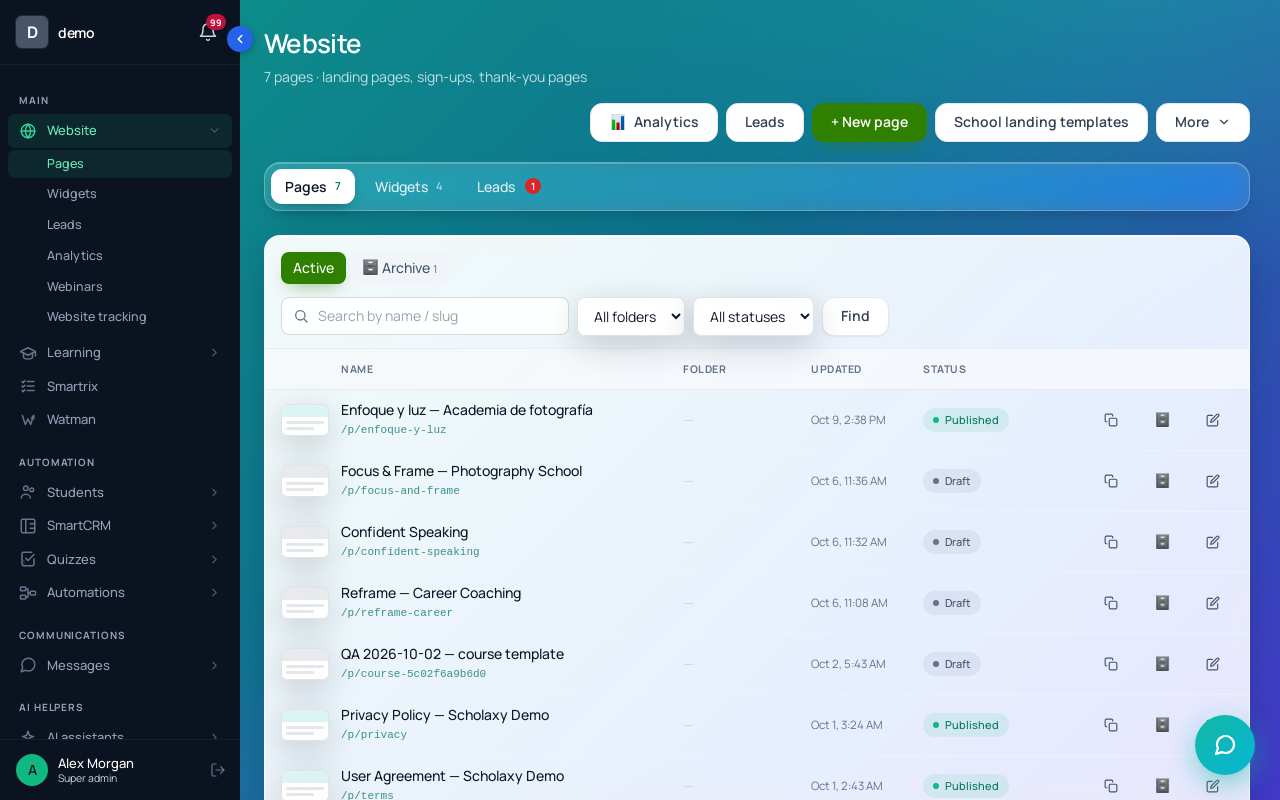
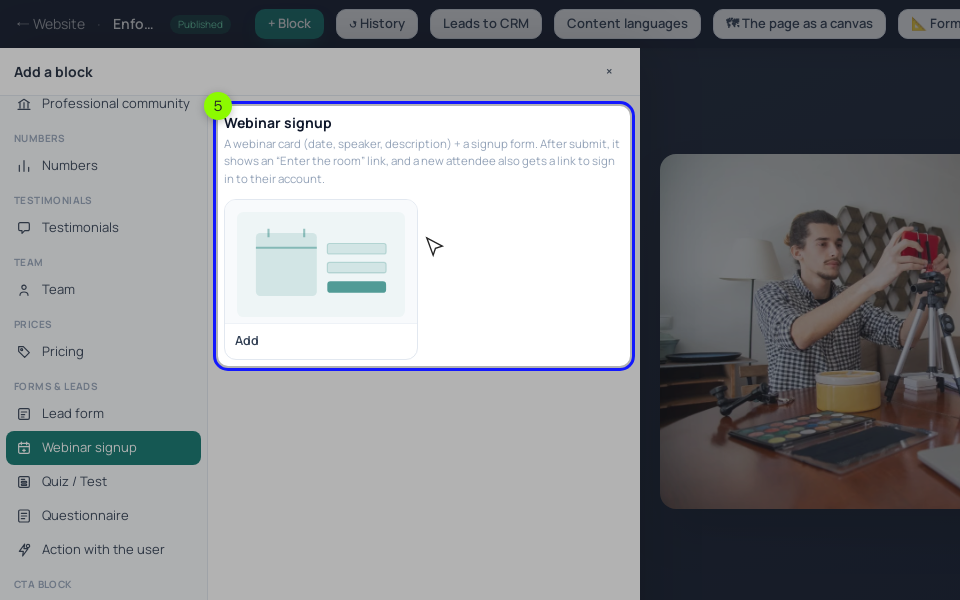
On the page, click "+ Block" and choose "Webinar signup" in "Forms & leads". Enter "The webinar ID *": it's in the "ID" column of the webinar list. Under "Actions after submitting", pick a group in "Add to the groups" (say, "Fit webinar"), which you'll use later for segments and broadcasts, and the follow-up process in "Start a process". Leave "Start on every sign-up" off, so a second registration doesn't restart the emails. The process must be active: the picker marks inactive ones "it will not start". Publish the page, then choose it in the webinar card's "Sign-up landing page" and click "Save". Add UTM tags to every ad link; "📊 Default UTM tags" in the block cover direct traffic, and tags in the link take priority.
A new registrant sees "Enter the room →" at once. That button is step 3 for an on-demand webinar. No email goes out at the moment of registration, so the first email of your process should carry the room link: the {webinar_link} variable puts in the person's own link.
Step 2. The offer button. Decide how it works before you build it:
- A link. "An offer with a CTA" in the scenario, or a sales block with "Open a link (new tab)", leads to the course page with a "Pricing" block. Payment there creates a "Paid" order and opens the course. That button charges the offer's "Original" price, so keep the slide price the same.
- A request. A sales block with "Show a form → collect the data + the offer" creates an order with the "New" status: nobody has paid yet. Someone opens it and sends the payment link with "📋 Copy the link" or "✉️ Send to …".
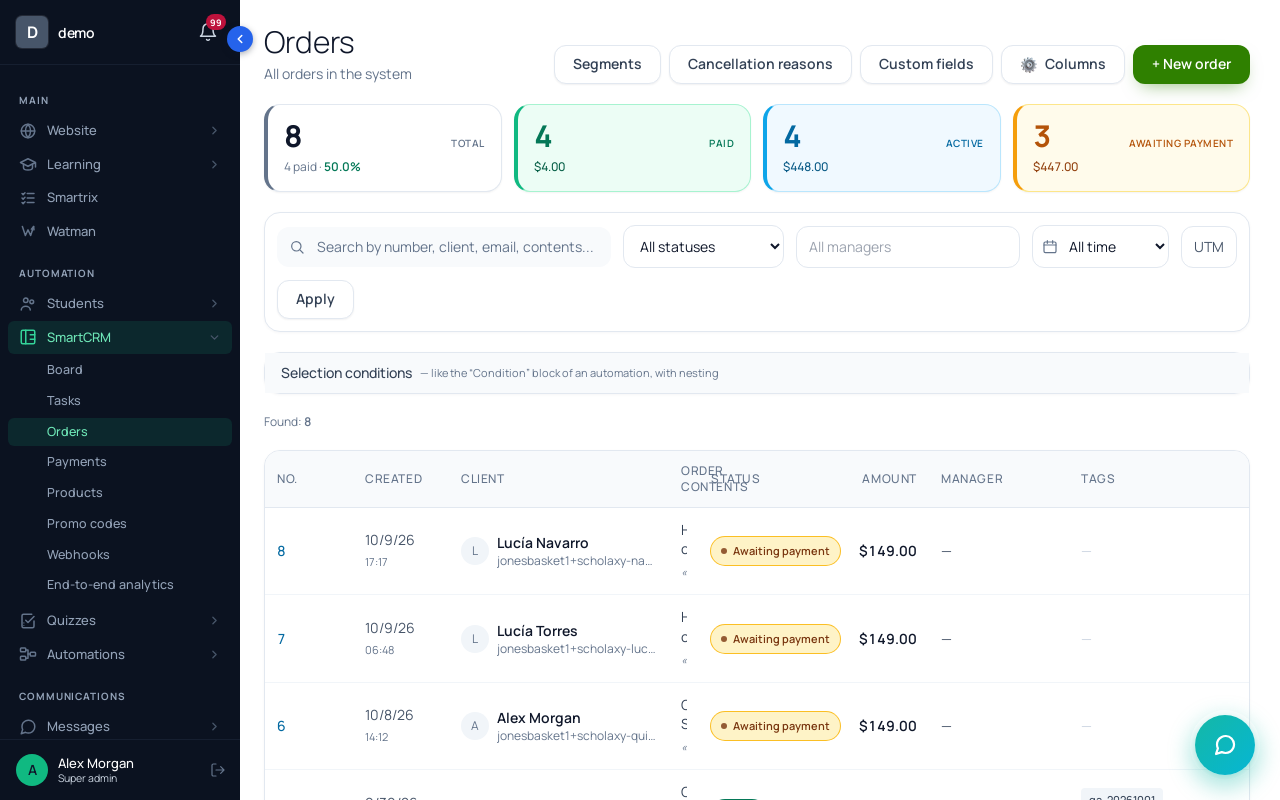
For a $139 course we'd use the link: one step fewer between the click and the payment. The request form suits a price that needs a conversation.
Step 3. The follow-up process. One process, started by the signup block: "Send an email" steps with "Delay" between them and a buyers segment in "A stop condition by segment". The emails and the exact setup are in the follow-up article. If you run a live webinar with a date, the built-in "Send the system emails about the webinar" already sends a reminder a day before, an hour before and a "you missed it" email to people who didn't come, so don't send your own copies of those.
Step 4. Read the funnel.
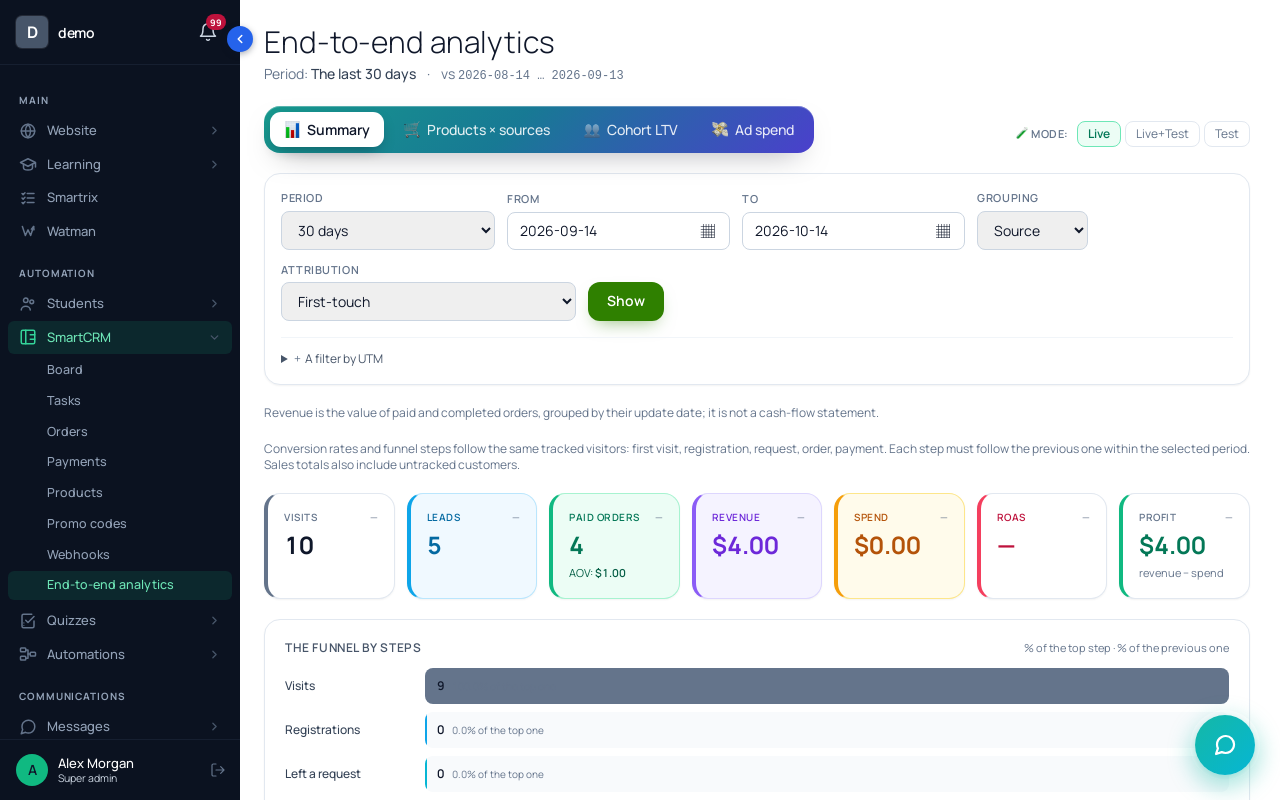
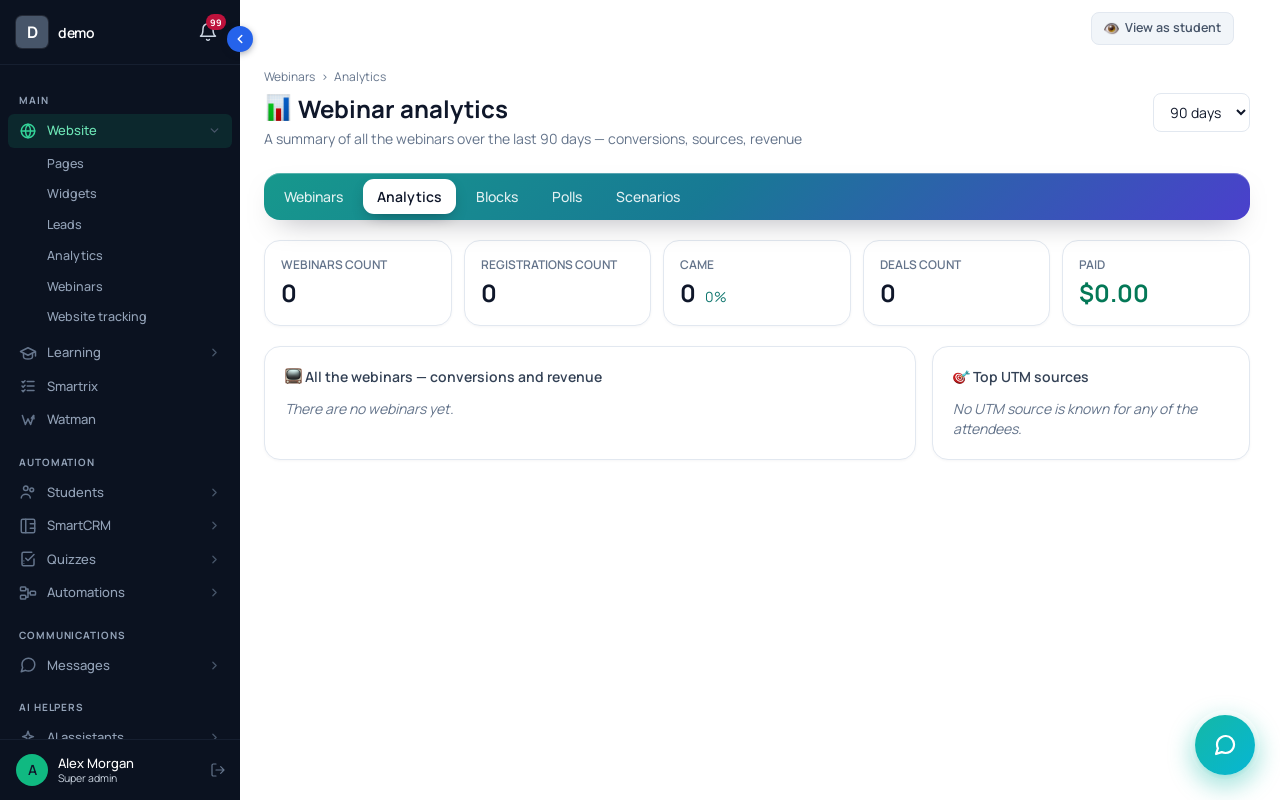
| Step from the table | Where to read it in Scholaxy |
|---|---|
| Visits | "SmartCRM" → "End-to-end analytics", "Visits" by source |
| Registered | the webinar's "📊 Analytics", "Where they came from (UTM)" |
| Entered the room | "Conversion into attendance" |
| Still watching at minute 45 | "Viewer retention…", the point at minute 45 |
| Clicked the offer | "Clicks on the CTA buttons", the "Unique" count |
| Ordered and paid | "SmartCRM" → "Orders", filtered by status |
Two details save confusion. "Came" in the webinar analytics means the person clicked "Join the broadcast" or was marked by hand. And "Conversion into a deal" counts the registrants' CRM deals, not orders, so requests from a sales block show up in "Orders", not there.
Setup order and the first month
- Write down last month's numbers, or your targets: visits, registrations, attendance, viewers at the offer minute, orders, payments.
- Course product and the $139 offer; buy it once from your phone with a test payment.
- The webinar with the offer at minute 45 (the automated webinar guide has the steps).
- Registration page with "Webinar signup": the webinar ID, a group, the follow-up process, published and chosen in "Sign-up landing page".
- The follow-up process: active, with the room link in email 1 and a stop condition for buyers.
- UTM tags on every ad link.
- Register with a second email, watch to minute 45, click the offer and finish the order.
- After two weeks, fill in the six-step table and find the biggest drop. Change one thing at that step and wait two more weeks before the next change.