Upselling and Cross-selling for Online Courses: Offers for Existing Students
Upselling means offering a customer a bigger or more advanced version of what they already bought. Cross-selling means offering something different that goes with it. For an online course, the upsell is usually the next course or a tier with more support, and the cross-sell is a smaller related product. With existing students, both work when the offer arrives at the point in the course where it solves a problem the student has right then, and when it goes only to the people it fits.
That last condition does most of the work. A student stuck in week one shouldn't hear about your advanced course, and someone who owns the add-on shouldn't be offered it again. So the job comes down to which offer, at which point in the course, and who is left out. Price comes after.
Say you run an online stained glass school. Stained Glass Basics is a $69 self-paced course that ends with a finished window panel. Clean Solder Seams is a $25 mini-course on irons, temperature and flux. Stained Glass Lamps, the advanced course, costs $159. In the last twelve months 840 people bought the basics course: 290 finished it, 230 haven't logged in for more than a month, and 320 are somewhere in between. These are example numbers for the walkthrough, not benchmarks.
Upselling and cross-selling: what each means for a course
| Upsell | Cross-sell | |
|---|---|---|
| What it is | Further along the same path: the next level, more support, longer access | A different product that helps with the current one |
| In the example | Stained Glass Lamps, $159 | Clean Solder Seams, $25 |
| When to offer it | After the student finishes the first course | When the problem it solves shows up |
| Price | Usually higher than the first course | Usually lower |
| Who gets it | Graduates | Students at a specific lesson, or buyers at checkout |
A bundle sits between the two. At checkout you offer the course and the add-on together for less than both bought separately: basics plus soldering for $84 instead of $94. The buyer saves $10 and you take $15 more than the course alone brings.
The table hides two things. An upsell assumes the first course worked: someone who never finished a flat panel has no reason to think a lamp will go better. And a cross-sell for a problem the student doesn't have yet reads as an ad. Soldering at lesson 4, when the first seams come out lumpy and full of pits, makes sense to anyone who got there.
Cross-selling to existing customers: pick the moment
A course knows how far each student got, which a shop doesn't. We'd use three moments, plus one group of buyers who get no offer at all.
At checkout. A second column on the sales page with the $84 bundle; buyers who don't want it take the $69 option. Don't add Stained Glass Lamps as a third column: a beginner can't judge a course that assumes skills they don't have yet.
At lesson 4. The first soldered seams are where a cheap iron or the wrong temperature shows most. One email the day after a student completes lesson 4, explaining why beads come out lumpy and offering the $25 mini-course, is a cross-sell with a reason attached. About 70 people buy the basics course a month (840 over twelve months), and fewer than that reach lesson 4, so this is at most about 16 emails a week.
After the final lesson. This is the upsell: the student has a finished panel and proof that your teaching works for them. We'd wait three days before mentioning Stained Glass Lamps, so the first email after finishing is about what they made.
Not to stalled buyers. The 230 who stopped logging in get a check-in about the lesson where they stopped, and no offer. Asking them to pay for a second course while the first one sits unused gets the order wrong. Get them back into the course first.
Who gets which offer
Four segments cover the basics course. Order is priority: a graduate who once stalled counts as a graduate. Of the 290 graduates, 35 already bought Stained Glass Lamps at full price from a newsletter, which leaves 255 for the alumni offer.
Example plan for the stained glass basics course (840 buyers in twelve months):
| Segment | Who is in | Size | Offer | Exclude |
|---|---|---|---|---|
| Graduates | Completed the final lesson | 290, minus 35 = 255 | Stained Glass Lamps, $129 with LAMPS30 | Bought Stained Glass Lamps |
| Reached lesson 4 | Completed lesson 4, no Soldering | Fewer than 70 a month | Clean Solder Seams, $25 | Bought Soldering or the bundle; graduates |
| New buyers | Bought in the last 7 days | About 70 a month in total | None: a getting-started email | Completed lesson 1 |
| Stalled buyers | No visit for 30+ days, not finished | 230 | None: one check-in | Graduates |
Overlap to watch: a buyer who took the $84 bundle already owns Clean Solder Seams, so the lesson 4 email must skip them.
The bundle exclusion is the one people miss. A bundle buyer owns Clean Solder Seams without having bought the $25 offer, so the lesson 4 rule has to check access to the course, not the offer they paid for. Email segmentation covers exclusions like this one in more detail.
Pricing the next step
The alumni code takes a fixed $30 off Stained Glass Lamps, so graduates pay $129 instead of $159. Every graduate who would have paid full price anyway now pays $30 less; each one who buys only because of the code brings $129. So the code pays for itself if it adds one buyer for every 4.3 who would have bought at full price ($129 ÷ $30). If you think graduates who want lamps will pay $159 regardless, skip the discount and work on the email instead.
We'd use a fixed amount for a single course. "$30 off" is easy to check against the price on the page; "19% off" makes people do arithmetic before they decide.
Deadlines are where rolling offers go wrong. A code valid until 31 October suits a campaign that reaches every graduate on the same day. Graduates who finish on different days get a generous window or a useless one. For the rolling offer we'd use a code without an end date, limited to the Stained Glass Lamps offer: a "3 days left" line that nothing enforces teaches students to ignore your deadlines. A dated code to the whole graduate segment twice a year is fine.
The bundle price should sit below the sum and above the main course: $84 is between $69 and $94. A student who takes the bundle and later the lamps course with the code pays $84 + $129 = $213, against $69 for the first course alone. For how to set the first price and its tiers, see online course pricing.
The emails after the final lesson
Three emails, one offer repeated once, and a stop as soon as the person buys. The planner starts from this example; change the days or switch emails off to fit your course.
Example sequence for graduates of the basics course (day 0 is the day they finish):
- Day 0, "Your first panel is done": congratulations, the certificate link, a request for a photo. No offer.
- Day 3, "From panels to lamps": what Stained Glass Lamps adds, $129 with the code LAMPS30, a link to the course page. Stops if they bought.
- Day 8, "What do you want to make next?": one question to answer by reply, the code again. Stops if they bought.
Replies to the day 8 email tell you why graduates don't take the next course (no time until spring, no room for a bigger workbench, the price), which no open rate will. For delays and stop rules in general, see drip campaigns.
Where upselling goes wrong
- One newsletter with all three products to all 840 buyers: 35 get an offer for a course they own, 230 stalled buyers are asked for more money, and new buyers see a course they can't judge.
- An upsell in the welcome email, before the student has cut a single piece of glass.
- A discount every month. Once graduates expect a code, full price is for the impatient.
- Cross-selling whatever you have. A time-management course offered to glass students is an ad, not a next step.
- No stop rule. An offer email reaching someone who bought yesterday is the most visible mistake here, and the easiest to prevent.
There are also cases where we'd skip upselling entirely. A school with one course has nothing to offer graduates yet: write the second course first. And if only a small share of buyers ever reaches the final lesson, the graduate segment is too small to matter, and the same effort spent on getting students through the course pays more.
How to set this up in Scholaxy
In Scholaxy the pieces are segments (who is in), offers and promo codes (what they pay), and processes (when each offer goes out).
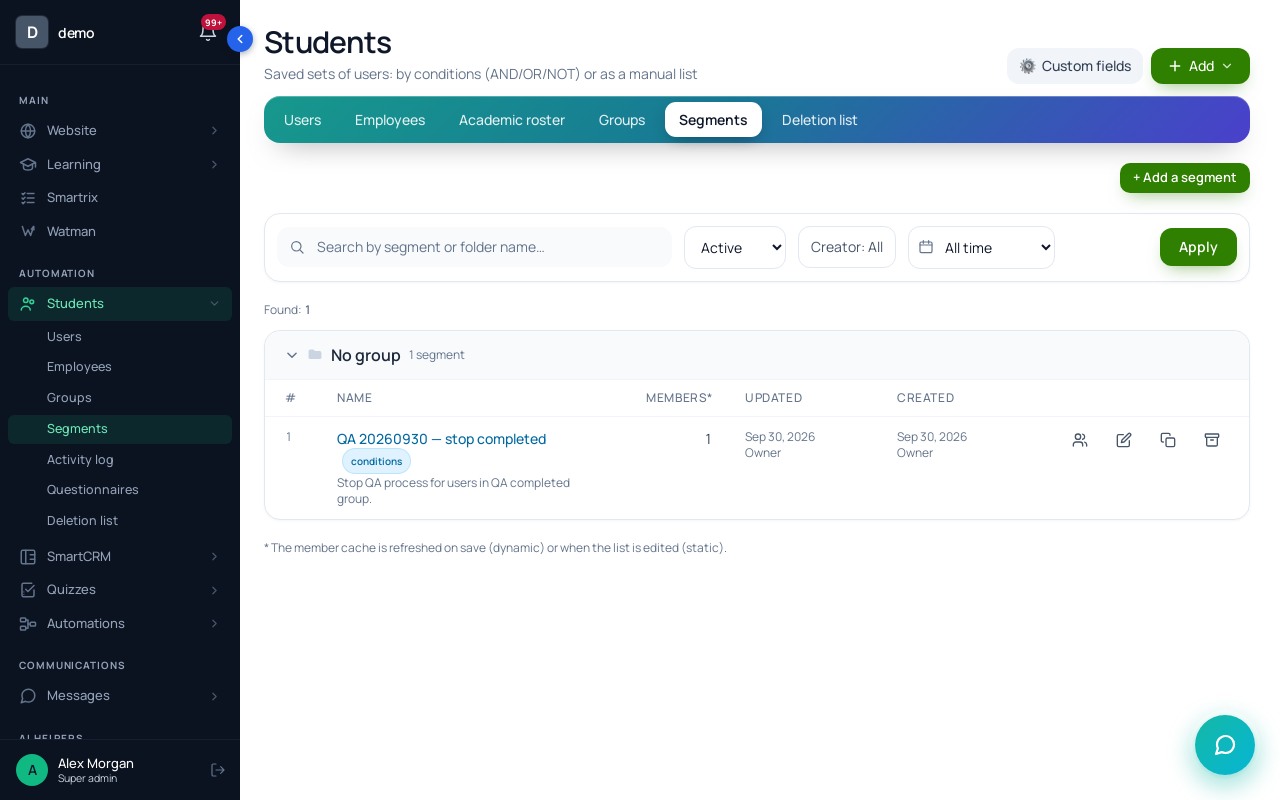
Step 1. Segments. In "Students" → "Segments", click "+ Add a segment", choose "Dynamic" and click "Create and open". Build "Bought Stained Glass Lamps" with the condition "Training access", the "ever was" option and the Stained Glass Lamps course, and "Bought Soldering" the same way. Then "Graduates, no Stained Glass Lamps": "Course participant: lesson (entry, homework, video)" → the final lesson with "Lesson completed", plus "Belongs to a segment" → "does not belong to" → "Bought Stained Glass Lamps". Click "Save and recalculate" and check "Members right now": in the example it reads 255.
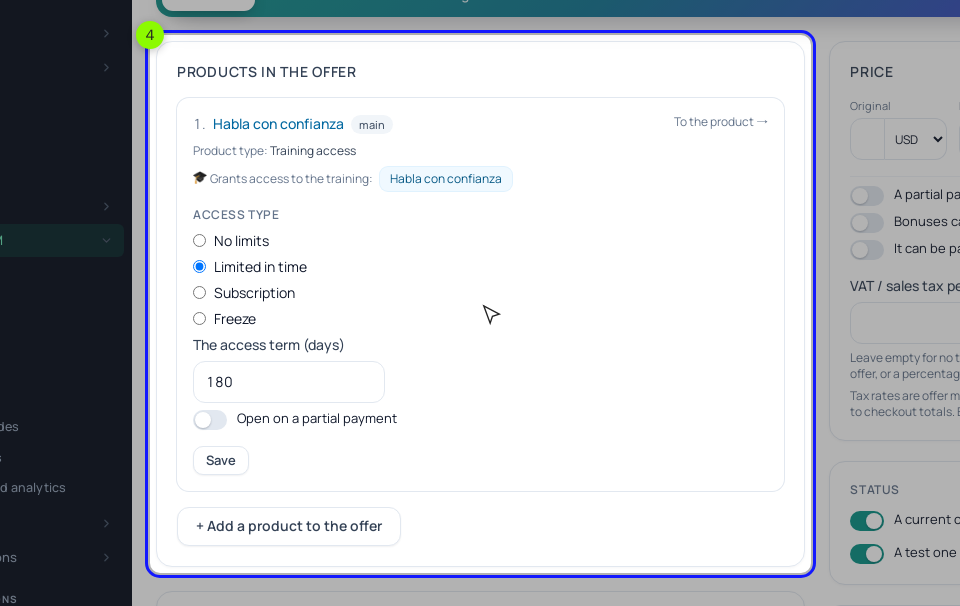
Step 2. The bundle. Add a second offer to the basics course's product, "Basics + Soldering", with $84 as the "Original" price. In the offer card, under "Products in the offer", click "+ Add a product to the offer", choose "Pick from the existing products" and pick Clean Solder Seams. Switch on "Buyers" in the Soldering course's access, or payment won't open it. Put both offers in the "Pricing" block of the sales page, one per column; a website button charges the "Original" price, so don't set the $84 as a "Discount".
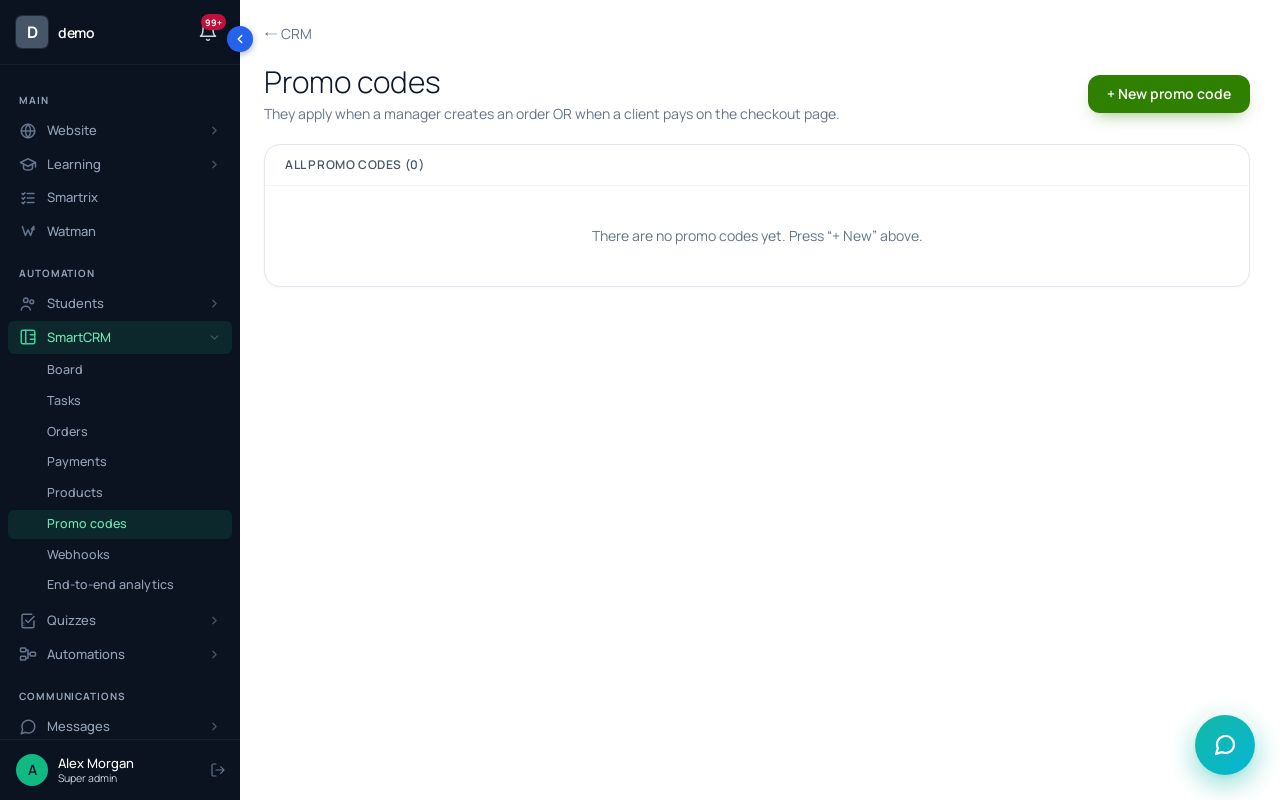
Step 3. The alumni code. Open /crm/promocodes → "+ New promo code": code LAMPS30, "Fixed amount", value 30, and the Stained Glass Lamps offer's ID in "For one offer only (ID)". Leave "Valid until" empty for the rolling offer. Graduates type the code into the "Promo code:" field on the payment page. A shared code can travel. For a code per student, create a product of the "Promo code" type, pick LAMPS30 in "The promo-code template to issue" and add that product to the basics course's offers. Each buyer then gets a personal code by email after payment, usable once and only by them, with the template's discount and offer limit but not its dates. The catch: it arrives at purchase, months before the student needs it.
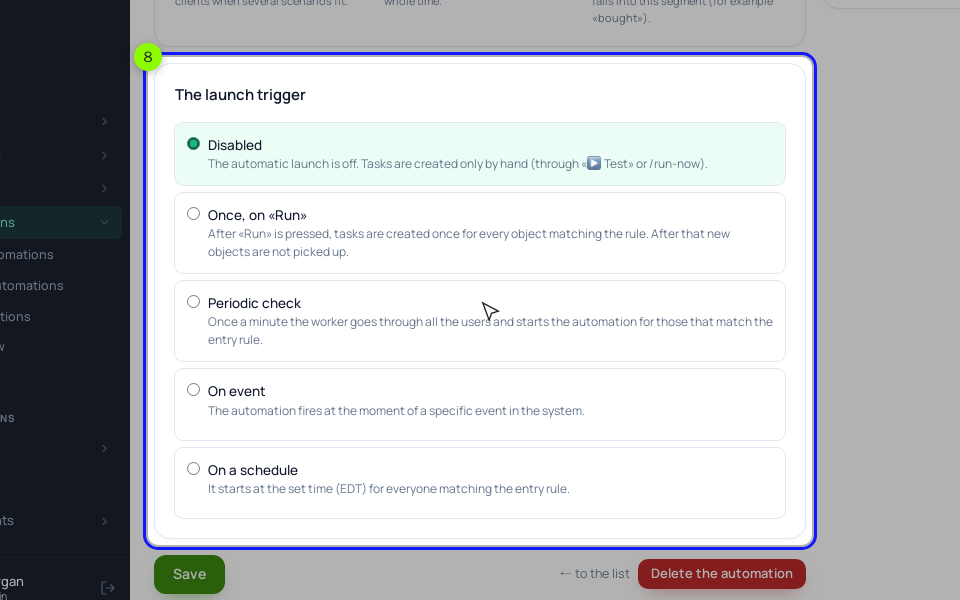
Step 4. The graduate process. "Processes" → "Create new" → "By LMS users". On the "General" tab, under "The launch trigger", choose "Periodic check", set the entry rule to "Belongs to a segment" → "Graduates, no Stained Glass Lamps" and "The limit of entries per client" to 1. The first checks pick up everyone who already matches (all 255), then each new graduate. To leave past graduates out, choose "On event" → "Course completed" with the course instead; it fires only when a student submits the assignment of the anchor lesson set under "🎓 Certificate" on the training page. Check "Matching right now" before you click "▶ Activate".
On the "Process" tab the chain is "Send an email" → "Delay" of 3 days → "Send an email" with the offer, the code and a link to the Stained Glass Lamps page → "Delay" of 5 days → "Send an email" with the question. Use "Send an email" blocks: they skip people who unsubscribed, while chain emails from "Run a broadcast" don't respect unsubscribes yet. The lesson 4 email is a second process: "On event" → "Lesson completed" with lesson 4 picked, the rule "Belongs to a segment" → "does not belong to" → "Bought Soldering", then "Delay" of 1 day and "Send an email".
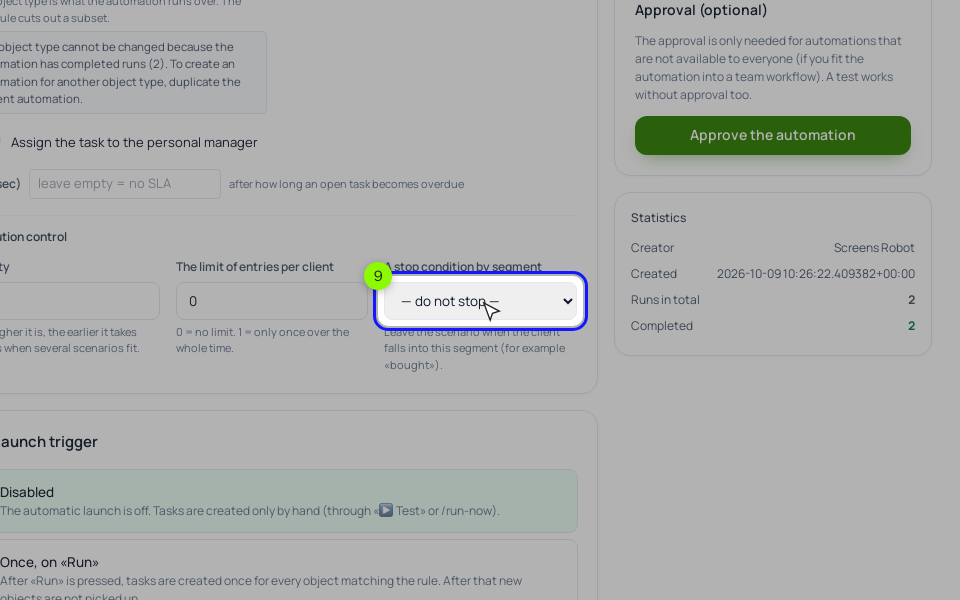
Step 5. The stop. On the same "General" tab, under "Execution control", pick "Bought Stained Glass Lamps" in "A stop condition by segment". A graduate who buys after the day 3 email leaves the process before day 8, whichever block they're waiting on. Test with "▶ Test" on your own email first.
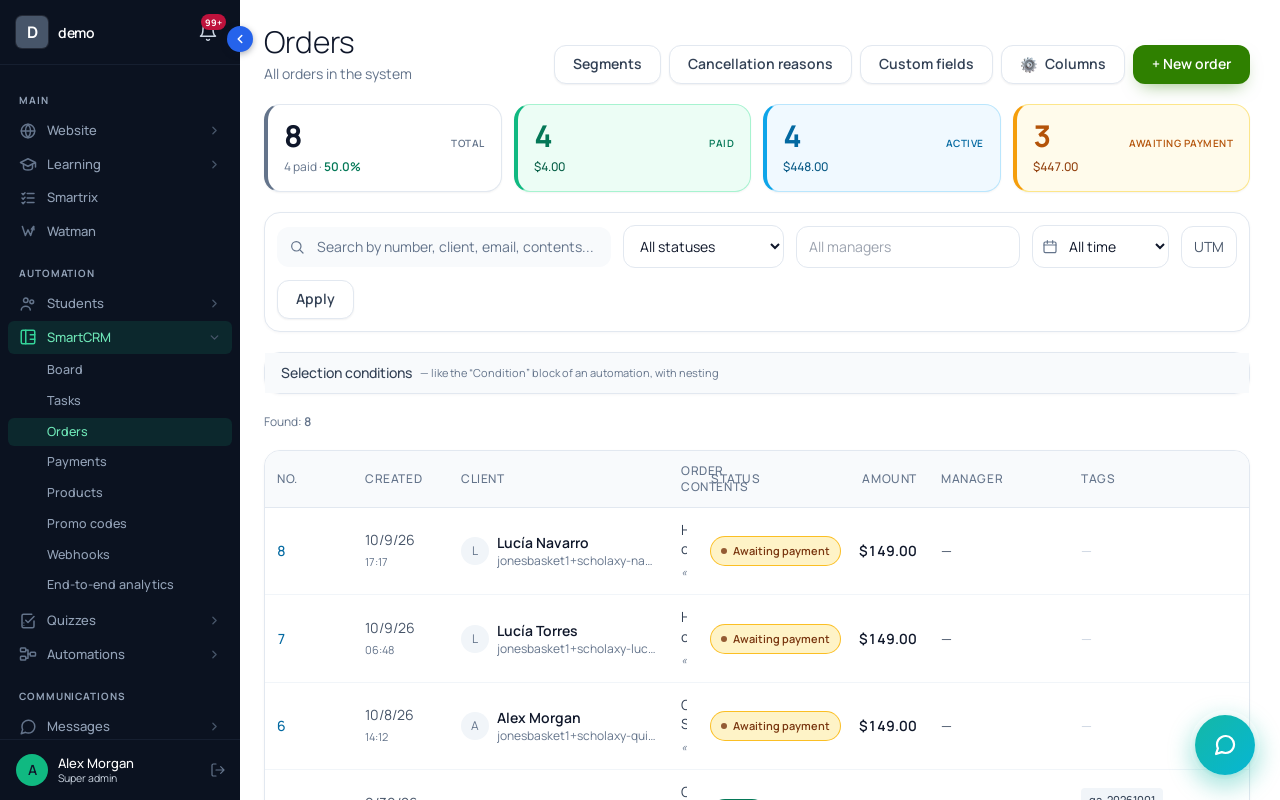
Step 6. Two courses in one order. For a graduate who replies asking for Stained Glass Lamps and Clean Solder Seams together, open their card → "⚡ Actions" → "🛒 Create an order", add both offers under "Order items" (an order can hold several) and send the payment link with "✉️ Send to …". LAMPS30 works there too and takes $30 off the Stained Glass Lamps line only. Every extra purchase is paid on its own payment page; nothing charges the card again by itself (only Stripe subscriptions do).
Can I make the offer on the thank-you page after payment?
The "Thank you" page after payment has a title, a text and a button with any URL you choose. Point the button to the Clean Solder Seams page if you like. It's a link to a second purchase with its own payment, not an add-on to the first one.
How many offers should one student get?
One at a time. With the stop segment and an entry limit of 1 per process, a student gets the soldering email once and the Stained Glass Lamps emails once.
What to set up first
- Write down your next step for graduates and one cross-sell tied to a specific lesson. If you don't have a second course yet, stop here and build it.
- Create the buyer segments per course with "Training access" and the "ever was" option, then the graduates segment that excludes buyers of the next course.
- Add the bundle offer and put it next to the main one on the sales page.
- Create the alumni code, limited to one offer, without an end date.
- Build the graduate process with the stop segment, test it on your own email, check "Matching right now" and activate.
- Add the lesson 4 process after the first one has run for a few weeks.
- After a month, read "The funnel by steps" on the process "Statistics" tab, and the replies to the day 8 email.